
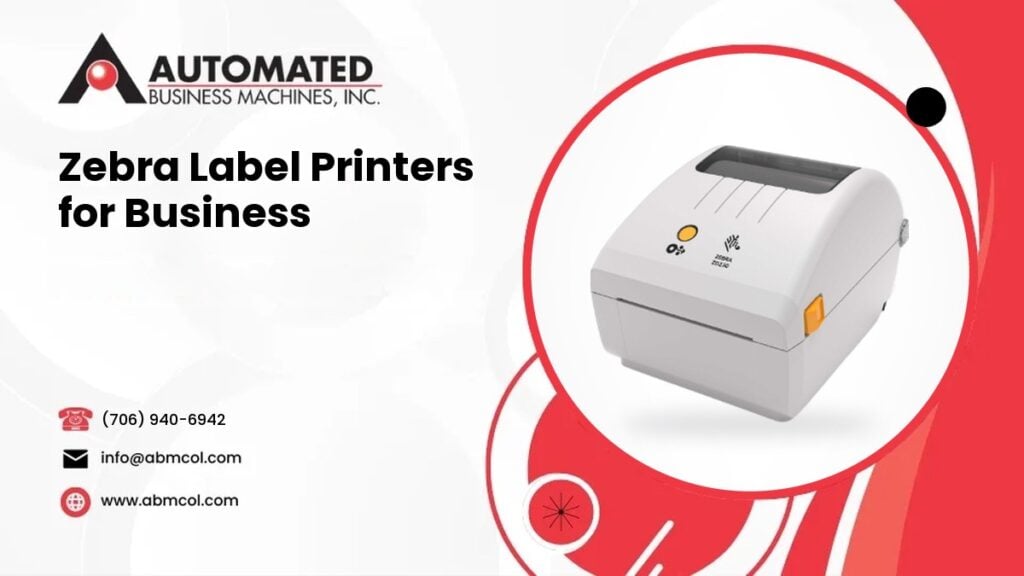
Automated Business Machines now carries Zebra barcode and label printers. If your team ships boxes, tracks stock, labels patient items or prints shelf tags, a label printer is one of the most useful tools you can own. The right one saves time and cuts scanning errors. The wrong one jams, fades or can’t keep up.
Zebra makes printers in three main families: desktop, industrial and mobile. This guide explains each one in plain English, who uses it, and the choices that matter most when you buy. We keep it general on purpose. The right model depends on your labels, your volume and your workflow, and we are glad to help you sort that out.
What a barcode and label printer does
A label printer is not a small office printer. It prints on rolls or stacks of labels, tags and wristbands, and it is built to do that one job all day. The printed barcode lets a scanner read information fast, so people don’t have to type it by hand.
Typical jobs include:
- Shipping labels for packages and pallets
- Product and bin labels in a warehouse
- Wristbands and specimen labels in healthcare
- Price and shelf labels in retail
- Asset tags for equipment and tools
The three Zebra printer families
Desktop label printers
Desktop printers are compact units that sit on a counter, packing bench or office desk. They are built for light to moderate daily use. Most people choose them when labels are printed at one spot, by one or a few people.
Common uses:
- Shipping labels at a pack station
- Retail price and shelf labels
- Pharmacy and lab labels
- Small business inventory and asset tags
- Wristbands for clinics and events
If you print a few hundred labels a day or fewer, a desktop model is often the right starting point. It takes up little space and is easy for staff to load and use.
Industrial label printers
Industrial printers are larger and tougher. They have heavy duty frames and are made for long runs, wider labels and busy environments. You will see them in warehouses, factories, distribution centers and shipping docks.
Common uses:
- High volume shipping and receiving
- Pallet and carton labels
- Manufacturing and parts tracking
- Cold storage and rough environments
- Large operations where the printer runs most of the shift
An industrial printer costs more up front than a desktop model, but it is built to keep working under heavy use. If your desktop printer is wearing out because it is asked to do too much, that is a sign to look at this family.
Mobile label printers
Mobile printers are small, battery powered units that a worker carries or wears. They print on the spot, right where the work happens. The person walks to the shelf, the patient or the truck, and prints a label there.
Common uses:
- Retail staff relabeling shelves and marking down items
- Delivery drivers printing receipts and labels
- Warehouse workers labeling stock where it sits
- Nurses and techs printing labels at the bedside
- Field service teams tagging equipment
Mobile printers often connect wirelessly to a phone, tablet or handheld scanner. If your people spend the day on their feet, a mobile printer can save a lot of walking back and forth to a fixed printer.
Who uses which printer
Here is a quick guide based on common work settings:
- Shipping and e-commerce: desktop for small and midsize volume, industrial for large volume
- Warehouses and distribution: industrial at the dock, mobile on the floor
- Healthcare: desktop for labs, pharmacies and check in, mobile for the bedside, with wristband printing as needed
- Retail: desktop in the back room, mobile on the sales floor for shelf labels and markdowns
- Manufacturing: industrial for part, work in progress and finished goods labels
Plastic ID cards are a different kind of printer from a label printer. If badges or cards are part of your plan, contact us and we will talk through what fits your need.
Direct thermal vs thermal transfer
Zebra label printers use heat to make the image. There are two ways to do it, and the choice affects your labels, your supplies and how long the print lasts.
Direct thermal
Direct thermal printing uses special heat sensitive label stock. The print head heats the label and the image appears. There is no ink, toner or ribbon.
- Pros: simple to run, fewer supplies, lower running cost
- Cons: the print can fade with heat, light and time, so it is not ideal for labels that must last
- Good for: shipping labels, receipts, short term labels, and wristbands
Thermal transfer
Thermal transfer printing uses a ribbon. The print head heats the ribbon, and the ribbon’s wax or resin transfers onto the label. The result is sharper and lasts longer.
- Pros: durable print that resists fading, smudging and rough handling
- Cons: you need to buy and change ribbons, which adds a step and a supply to manage
- Good for: asset tags, product labels, warehouse bin labels, and anything that must stay readable for a long time
Many Zebra printers can be set up to do one or both, depending on the model. A simple rule: if the label will be thrown away soon, direct thermal is usually fine. If the label has to survive heat, sunlight, chemicals or months on a shelf, look at thermal transfer.
Print width and label size
Print width is how wide a label the printer can handle. It is one of the first things to check, and it is easy to get wrong.
Start with the largest label you need to print today. A common shipping label is about 4 inches wide and 6 inches tall. If that is your main label, make sure the printer you choose supports that width. Then think about the future. If you may move to larger shipping labels or pallet labels later, a wider printer saves you from buying again.
A few other things to think about:
- Label length: some labels are short, such as small product tags, and some are long
- Roll size: larger rolls mean fewer changes, which matters on a busy line
- Print resolution: small barcodes and tiny text need a sharper print than a big shipping label
- Media type: labels, tags, wristbands and receipt paper are different, so match the printer to what you print on
What about RFID?
RFID stands for radio frequency identification. An RFID label has a tiny chip and antenna inside it. A reader can pick up the data without seeing the label, so you don’t have to point a scanner at each barcode.
Some Zebra printers can print on RFID labels and encode the chip in the same pass. Businesses use RFID to count stock faster, track assets and follow items through a supply chain.
RFID is not for everyone. Standard barcodes are simpler and cost less per label. If you only need to scan items one at a time, a regular barcode printer is usually enough. If you need to read many items at once or track items that are hard to scan, ask us about RFID capable models.
How to choose the right Zebra printer
Before you pick a model, answer these questions:
- How many labels do you print on a normal day, and on your busiest day?
- Where will the printer sit, and is the space clean, dusty, hot or cold?
- How wide are your labels?
- Do your labels need to last, or are they short term?
- Do you need to print at a desk, at a dock or while walking around?
- What software or system will send the print jobs?
Your answers will usually point to one of the three families. Then it is a matter of picking the right width, print method and options. You can browse all equipment models to see what we offer, and our team can help you narrow it down.
Service and support after the sale
A label printer that goes down can stop shipping or slow a clinic. We sell Zebra printers and we service them. Our technicians repair all makes and models, whether or not you bought them from us, and they have a 4 hour average response time.
We also help with the supplies side. Label stock, ribbons and print heads all affect print quality, so we can help you match them to your printer and your job.
If your office also runs copiers, desktop printers or large format printers, we can look at your whole setup so everything is supported by one local company. We have served Georgia businesses since 1991 from our headquarters in Columbus and our branch office in Leesburg, and we serve metro Atlanta, Macon, Augusta, Savannah and East Alabama as well.
Talk to us about a Zebra label printer
Not sure whether you need desktop, industrial or mobile? Call Automated Business Machines at (706) 940-6942. Tell us what you label, how much you print and where the work happens, and we will help you find the right Zebra printer for your business.
Frequently Asked Questions
What is the difference between a barcode printer and a regular printer?
A barcode printer is built to print labels, tags and wristbands on rolls or stacks, using heat instead of ink or toner. A regular printer prints on sheets of paper. Barcode printers make sharper, more durable barcodes and handle label stock all day without jamming.
Should I choose direct thermal or thermal transfer?
Choose direct thermal if your labels are short term, such as shipping labels or receipts. It needs no ribbon. Choose thermal transfer if labels must stay readable for a long time or face heat, light or rough handling. It uses a ribbon, but the print lasts longer.
When does a business need an industrial label printer?
Consider an industrial printer when you print large batches, need wider labels, or run the printer for most of a shift. Warehouses, factories and shipping docks are common examples. If a desktop printer wears out or can't keep up with your volume, industrial is the next step.
Can Automated Business Machines service a Zebra printer we bought elsewhere?
Yes. Our technicians repair all makes and models, whether or not you bought the equipment from us, and they have a 4 hour average response time. If your label printer is jamming, printing poorly or not working at all, we can look at it and get you back to work.