
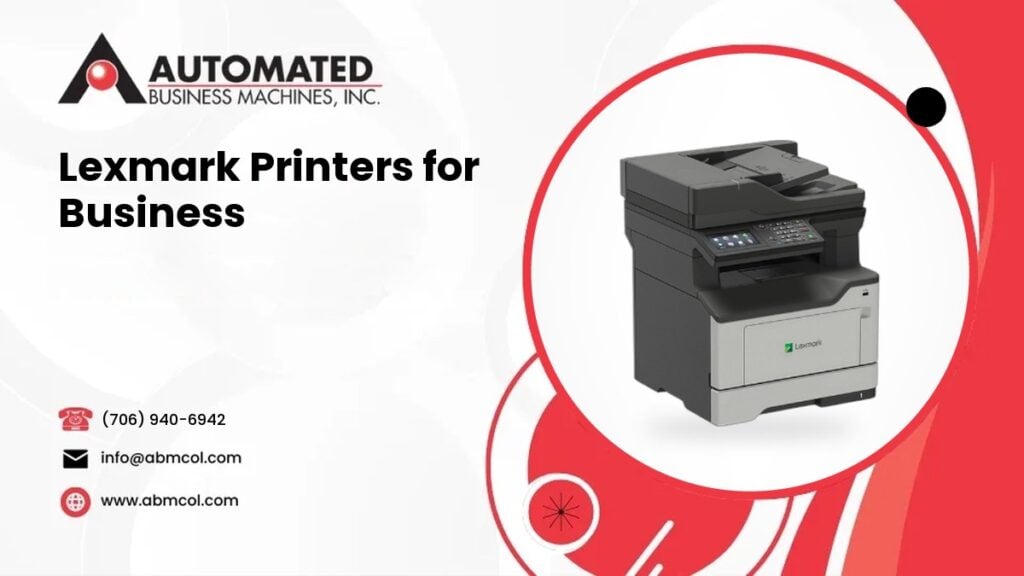
Picking a printer for an office sounds simple until you look at the choices. Lexmark makes laser printers and multifunction printers in many sizes, from small desktop units to large floor standing machines. The right one depends on how your team actually works.
At Automated Business Machines, we sell, lease, rent and service Lexmark equipment for Georgia businesses. This guide covers the questions we ask first, so you can narrow the field before you talk to anyone.
Start With How Your Office Prints
Do not start with a model name. Start with your own habits. A few honest answers will rule out most of the wrong machines.
How many pages do you print each month?
Monthly volume is the biggest factor in choosing a printer. Every machine is built for a certain workload. A printer meant for a small team can wear out early if a whole department leans on it all day.
Pull a few months of printing numbers if you can. Many printers show a page count on the control panel or on a configuration page. If you already have a service contract, your provider may have the numbers.
Then think about busy periods. If your office prints a lot at month end or during a seasonal rush, size the machine for those peaks, not just the average.
How many people share the device?
A printer for two people has different needs than one for twenty. More users means more jobs in the queue, more paper to load and more toner to replace. Larger groups usually do better with a faster machine, bigger paper trays and higher capacity toner cartridges.
Do you need color?
Color is useful for proposals, marketing sheets, charts and anything a customer sees. It also changes the cost to run the machine, because color printing uses more supplies and the machines themselves cost more to own.
Here is a simple way to think about it:
- If almost everything you print is text, forms or invoices, a black and white laser printer is usually enough.
- If you print client facing documents often, a color model can pay for itself in convenience.
- If you only need color now and then, a single color machine shared by the office, plus black and white units elsewhere, can be a smart mix.
Multifunction or Single Function?
A single function printer prints. A Lexmark multifunction printer, often called an MFP, prints, copies, scans and sometimes faxes.
When a single function printer makes sense
Choose a single function laser printer when printing is all you need. These are often a good fit for a front desk, a small team or a spot where one person prints labels or forms. They are simpler, with fewer parts to go wrong and fewer settings to manage.
When an MFP is the better choice
Most offices end up needing more than printing. If your staff scans contracts, copies IDs or emails documents to clients, an MFP saves steps and space. One machine replaces several.
Look at these MFP features when you compare models:
- Scan to email, scan to a network folder or scan to cloud storage
- An automatic document feeder for multi page originals
- Two sided scanning, so a double sided document goes through in one pass
- A touchscreen that your team can learn without a long training session
If your business runs on paper records, such as medical, legal, insurance or accounting offices, scanning speed and quality matter as much as print speed.
Look at Paper Handling and Finishing
Paper features are easy to overlook, and they affect the day to day experience a lot.
Ask yourself:
- Do you print on legal or larger sizes, or only letter?
- Do you use special paper, labels or envelopes?
- Do you need two sided printing to save paper?
- Do you need extra trays so you are not refilling paper all the time?
- Do you need stapling or hole punching for reports and packets?
Larger offices often add extra paper trays. Offices that print thick packets may want finishing options. Check which options a model supports before you buy, because not every model can be expanded later.
Think About Security Early
Printers sit on your network, store data and handle sensitive pages. Treat them like any other computer in your office.
Features vary by model, so check the details for the exact machine you are considering. Common business security features include:
- User login, so only approved people can use the device
- Secure print release, where a job waits until the person enters a code or badge at the machine
- Protection for the hard drive or storage that holds scanned and printed data
- Network settings that let your IT team lock down who can reach the device
- Firmware updates that close known security gaps
Secure print release is worth a close look if your office handles private information. It keeps confidential pages from sitting in the output tray where anyone can pick them up. If you want to control who prints what, our PaperCut print management can help track and manage printing across your office.
Plan for Fleet Management
One printer is easy to look after. Ten printers spread across a few floors, or several locations, can become a time sink.
Fleet management means treating your printers as one group instead of separate machines. When you can see all your devices in one place, you can spot low toner before it runs out, track usage and keep settings consistent.
Lexmark business devices are designed to work with remote management tools. This is where a service provider helps. Our managed print services can monitor your devices, keep supplies moving and cut down on the support calls your team handles.
Fleet planning also helps you avoid buying too many machines. Sometimes two shared multifunction printers can replace six small desktop printers. That means fewer supplies to stock and fewer devices to repair.
Buy, Lease or Rent?
Once you know what you need, decide how to pay for it. Each option suits a different situation.
Buying
Buying makes sense when you want to own the equipment and plan to keep it for years. You carry the upkeep, though, so a service plan is a good idea.
Leasing
Many businesses ask us about a Lexmark printer lease. Leasing spreads out the cost of the equipment and often lets you bundle service. It also makes it easier to upgrade when your needs change. What a lease costs depends on the model, the term length, your expected volume and the service you include. You can read more about copier and printer leasing on our site.
Renting
Renting fits short term needs, such as a temporary office, a project or an event. If you only need a device for a limited period, ask us about rentals.
We quote only. We do not publish prices, because the right answer depends on your setup. We would rather look at your office and give you a number that fits.
Do Not Forget Service and Supplies
A printer is only as good as the support behind it. Before you choose, ask who will repair it, who will supply the toner and what happens when something breaks.
Our technicians service the Lexmark equipment we sell and lease. If you already own a Lexmark machine, call us with the model and we will tell you how we can help. Ordering is simple too. You can order supplies online when you run low.
A Quick Checklist Before You Choose
Use this list when you compare Lexmark models:
- Your average and peak monthly page counts
- The number of people who will share the device
- Color, black and white, or both
- Print only, or print, copy and scan
- Paper sizes, trays and finishing needs
- Security features your office requires
- How the device will be managed and supplied
- Whether you want to buy, lease or rent
If you can answer these, you are most of the way to the right machine.
See the Options and Get a Quote
You do not have to decide alone. Browse our equipment catalog to see what we offer from Lexmark, Sharp, Toshiba, Xerox, Brother, HP and Zebra, then tell us about your office. We can recommend a fit based on your real printing needs.
We have been locally owned since 1991. Our headquarters is in Columbus, Georgia, with a branch office in Leesburg, near Albany. We serve businesses across Georgia, including Columbus, metro Atlanta, Macon and Albany, plus Phenix City, Auburn and Opelika in east Alabama.
Ready to find the right Lexmark printer or multifunction for your office? Call Automated Business Machines at (706) 940-6942 and we will help you get started.
Frequently Asked Questions
Should I choose a Lexmark multifunction printer or a single function printer?
Choose a single function printer if your team only prints. Choose a multifunction printer if you also copy, scan or email documents. Most offices end up needing more than printing, so a multifunction often saves space and steps. Think about your scanning habits and how many people share the device before you decide.
Can I lease a Lexmark printer for my business?
Yes. We offer leasing on Lexmark equipment, and you can often include service in the agreement. The cost depends on the model, the length of the term, your expected print volume and the service you want. We quote only and do not publish prices, so contact us and we will look at your needs.
How do I know what size Lexmark printer my office needs?
Start with how many pages your office prints each month, how many people share the device and whether you need color. Also think about paper sizes and busy periods. A machine built for your real workload lasts longer and causes fewer problems. We can review your numbers and suggest a fit.
Do you service Lexmark printers that you did not sell?
Call us with the make and model and we will tell you how we can help. If your Lexmark printer or multifunction needs attention, you can request service through our website or call our office. We can also talk with you about managed print services if you want ongoing support.