
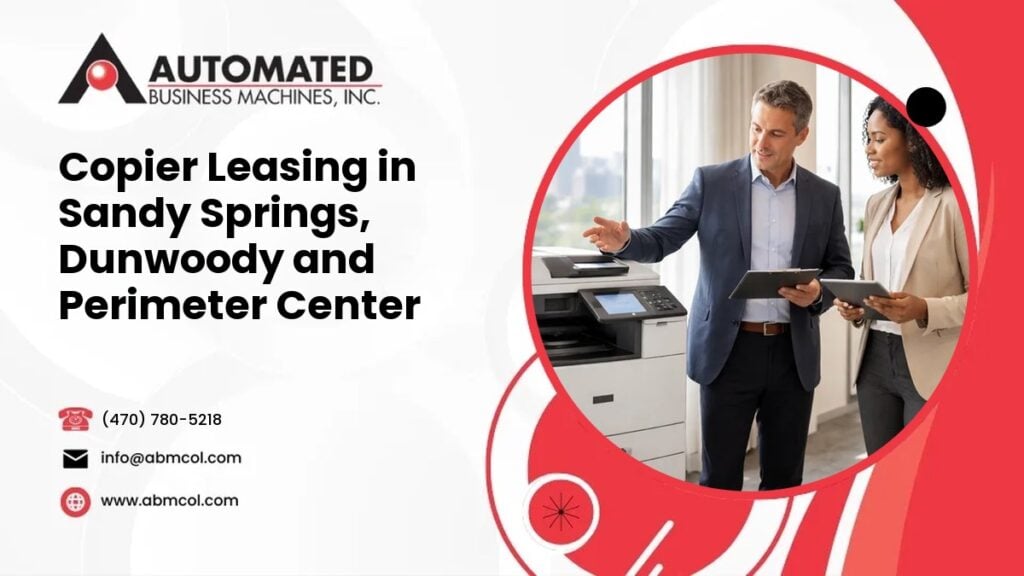
Offices in Sandy Springs, Dunwoody and the Perimeter Center district are not like a standalone shop with a back room. Many are suites on a single floor of a larger office building. Others are medical, legal, accounting or financial practices that handle private records all day.
That changes how you should lease a copier. The machine has to fit the suite, get through the building, protect sensitive pages and keep working when your staff is busy.
At Automated Business Machines (ABM), we are locally owned and have served Georgia businesses since 1991. We serve metro Atlanta, including Sandy Springs, Dunwoody and the Perimeter Center area, and we lease, rent and sell copiers and multifunction printers from Sharp, Toshiba, Xerox and Lexmark. This guide covers what we suggest you think through before you sign.
Start with how your office actually prints
Before you look at any machine, write down a few simple facts:
- How many people print, copy or scan each day
- What you print most: letters, forms, reports, charts or client files
- Whether you scan paper into digital files, and where those files need to go
- Whether you need color, or only black and white
- Whether you staple, hole punch or make booklets
- How much your volume may grow or shrink over the length of the lease
These answers drive the size of the machine, the speed, the paper capacity and the monthly cost. If you are not sure about your volume, we can help you look at what you use now. That is better than guessing and ending up with a machine that is too small or far bigger than you need.
Sizing a copier for a suite
Suite space is tight. A machine that looks fine in a catalog can feel huge once it is in your supply room or hallway. Walk through these points first.
Footprint and clearance
Measure the spot where the copier will sit. Then add room around it. Staff need space to open paper trays, clear a jam and swap a toner cartridge. Finishers and extra paper drawers make a machine wider and deeper, so include them in your measurements.
Also think about the path from the elevator to the suite. Narrow doors and tight corners matter on delivery day.
Power outlet
Check that there is an outlet close to the spot you picked. Avoid running a copier from a long extension cord or a crowded power strip. Tell us where the outlet is, and we can help you confirm the machine you are considering fits your setup.
Network drop
Most modern copiers connect to your network so people can print from their desks and scan to email or folders. Make sure there is a network connection near the machine. If your suite has a wall jack, note its location. Your IT contact or provider should know how the machine will join your network. We also offer managed IT services if you want one team to help with both the printer and the network side.
Noise near reception
Copiers hum, click and run fans. In a quiet suite, that can bother clients in the waiting area. If you can, place the machine away from reception and away from rooms where people take calls or meet clients. A small copy room with a door is ideal. If the only open spot is near the front desk, tell us, and we will talk through your options.
Planning delivery and installation in an office building
Getting a copier into a multistory office building takes planning. Every building has its own rules, so check yours first. Here is what to ask your building management.
- Loading dock access: Is there a dock or service entrance, and who controls it?
- Freight elevator booking: Do you need to reserve the freight elevator? Is there a form to fill out?
- Insurance certificate: Does the building require a certificate of insurance from vendors who bring equipment inside? If so, what wording do they need?
- Building rules for vendors: Are there rules for where vendors can park, which doors they may use and what paperwork they must show?
Ask these questions early, because the answers shape how your install is scheduled. Share what you learn with us, and we will plan around it.
It also helps to clear a path inside your suite. Move chairs, boxes and carts out of the way. Make sure someone from your office is there to show us the spot and to confirm the network connection.
Secure printing and scanning for medical, legal and financial offices
Many offices in this part of metro Atlanta handle private information. Patient files, case notes, tax records and account statements should not sit in an output tray for anyone to pick up. A copier is part of how that information moves through your office, so set it up with care. Your own privacy rules and your compliance advisor decide what you must do. Here are tools that can help.
PaperCut secure release
With PaperCut print management, a person sends a job to print, but the pages do not come out until they sign in at the machine. That can be done with a code, a login or a card, depending on how it is set up. This keeps pages from sitting in the tray where a visitor or coworker could see them. It also helps cut waste, because forgotten jobs never print.
User codes
User codes let you track who is copying, printing and scanning. Offices that bill by client or matter often use them to assign usage to the right file. Even if you do not bill back, user codes show you where your paper is going.
Scan to folder
Scan to folder sends a scanned document straight to a shared folder on your network. That is safer than sending a sensitive file as a loose email attachment. The folder can have limited access, so only the right staff can open it. We set this up with your IT contact so it works with your file structure.
Think about the machine itself
Copiers store data while they work. Ask us how the machine you are considering handles stored data, and how to handle it when the lease ends. This is a good question for any office with private records.
What happens when the lease ends or you move suites
Offices grow, shrink and move. Your lease should make sense for all three. Ask about these points before you sign.
- At the end of the term: What are your options? Many businesses renew with a newer machine, change the size of the machine or end the agreement. Ask what the paperwork says about each choice.
- If you outgrow the machine: Can you upgrade partway through, or add a second device?
- If you move suites or floors: Ask how a move is handled. Moving a copier inside a building takes planning, the same as the first install. Tell us early, so we can talk with you about the building rules and the network connection at the new location.
- If your office closes or relocates out of our area: Talk with us before you decide, so you know what the agreement says.
We also offer copier rentals in Atlanta for shorter needs, such as a temporary project or an office that is not sure how long it will stay in a space. For longer needs, you can read more about copier leasing in metro Atlanta.
Service and supplies
A copier in a busy suite is a tool people count on. When it stops, work stops. We service the equipment we sell, lease and rent, and our technicians have an average response time of 4 hours. That is an average, not a promise for any specific visit or location.
Ask any provider how service calls work. Find out how to report a problem, who answers and what information to have ready, such as the machine model and the error message on the screen.
Supplies matter too. Toner and other consumables should arrive before you run out. Ask how supply orders work and who in your office should place them. If you already have a machine from us, you can use our page to order supplies when you need them.
If you own a machine from somewhere else, call us with the make and model and we will tell you how we can help.
Questions to ask before you sign
Bring this list to every copier lease conversation.
- What size and speed fit my daily volume, and my likely growth?
- Will the machine fit my suite, including trays and finishers?
- What does the monthly cost cover, and what is billed separately?
- How are color and black and white pages counted?
- What are the options at the end of the term?
- How are service calls handled, and what is the average response time?
- How are supplies ordered and delivered?
- How will secure release, user codes and scan to folder be set up?
- What does the building require for delivery and installation?
- What happens if I move suites or change the size of my office?
A clear answer to each one means fewer surprises later. We give quotes after we learn about your office, because the right cost depends on the machine, the volume and the services you choose.
Talk with a local team
Whether you run a small professional office or a larger practice in a shared building, we can help you choose a copier that fits your space, protects your records and keeps your team moving. We can also look at managed print services in Atlanta if you want help watching volume, supplies and service across several devices.
Call Automated Business Machines at (470) 780-5218 to talk about copier leasing for your Sandy Springs, Dunwoody or Perimeter Center office. Tell us about your suite, and we will help you plan the next step.
Frequently Asked Questions
Do you serve Sandy Springs, Dunwoody and Perimeter Center?
Yes. Automated Business Machines serves metro Atlanta, including Sandy Springs, Dunwoody and the Perimeter Center area. We are locally owned, based in Columbus, Georgia, and have served Georgia businesses since 1991. Call (470) 780-5218 with your office details, and we will talk through lease options and service for your location.
What should I check with building management before a copier is delivered?
Ask about loading dock access, freight elevator booking and any insurance certificate the building requires from vendors. Also ask about rules for vendor parking and entrances. Each building is different, so get the answers early and share them with us. We can then plan the installation around your building’s requirements.
How can a copier protect private client or patient records?
Several tools help. PaperCut secure release holds a print job until the user signs in at the machine. User codes track who prints and scans. Scan to folder sends files to a controlled network folder instead of email. Your own privacy rules guide what you need, and we can help set these up.
What happens to my copier lease if I move to a different suite?
Tell us as early as you can. A move inside a building takes planning, including building rules, a power outlet and a network connection at the new spot. Ask what your agreement says about moves before you sign. Call us at (470) 780-5218 and we will talk through your options.