
AI Overview:
This blog is a practical guide for Atlanta businesses choosing a copier lease provider. It explains how leasing turns a large purchase into predictable monthly costs, preserves cash flow, and provides quicker access to modern multifunction features and security tools. Readers learn how to compare lease vs. buy, understand key contract clauses, evaluate service quality, and avoid hidden fees. The article also highlights why working with a local Georgia provider delivers faster response times, better support, and stronger reliability for day-to-day operations.

Choosing a Copier Lease Provider in Atlanta — A Practical Guide to Copier Lease Solutions
Leasing a copier is a smart choice for Atlanta-area organizations that need dependable multifunction performance without a large upfront expense. This guide lays out what a copier lease actually is, why many businesses prefer leasing to buying, and how leases preserve cash flow while delivering predictable monthly costs and easier technology refreshes. You’ll learn how to compare lease vs. buy financially, which contract clauses matter, how service and support cut downtime, and which security features help with compliance like HIPAA. We also provide practical contract checklists, service expectations, and reasons to partner with a local Georgia provider — including brief examples of how a regional company improves lease flexibility and service responsiveness. Strategic keywords such as Atlanta copier providers, copier lease provider, copier lease agreement clauses, and managed print services pricing Georgia are woven in to help procurement teams and office managers find focused, actionable guidance.
What Are the Key Benefits of Leasing a Copier for Your Business?
A copier lease turns a large capital purchase into a predictable operating expense, helping you preserve cash, bundle service options, and access current multifunction features without ownership risk. Leasing spreads equipment costs into monthly payments and often includes maintenance and supplies, which smooths budgeting and simplifies forecasting. It also gives faster access to advanced scanning, cloud integration, and security features while avoiding the depreciation and obsolescence of aging devices. Below we break down how leasing protects cash flow and how upgrade programs keep devices aligned with changing needs.
Leasing preserves working capital and lowers initial outlays — useful for small offices and growing practices that must prioritize cash for staff, software, or facilities. Monthly payments replace a single large purchase, making budgeting more predictable and reducing the administrative burden of tracking depreciation.
Many leases bundle services that lower total cost of ownership and operational risk by including maintenance, managed supplies, and remote monitoring under a single agreement. Predictable meter-based billing or all-inclusive plans reduce surprise repair bills and help keep uptime consistent. Knowing the differences between service models helps procurement choose the lease structure that fits your print environment and compliance requirements.
Leases also commonly include upgrade or refresh options at set intervals, so you can adopt newer features like secure print release, improved OCR, and cloud connectors without reinvesting capital. That upgrade flexibility reduces technology debt and keeps workflows compatible with modern document-management needs.
In short, leasing delivers four primary advantages for most organizations:
- Predictable monthly costs that simplify budgeting and cash-flow planning.
- Lower upfront capital expenditure, preserving working capital for core operations.
- Access to current technology and upgrade paths that reduce obsolescence risk.
- Possible inclusion of maintenance, supplies, and managed print services that cut administrative overhead.
Those benefits frame the lease decision and lead into an evaluation of cash-flow mechanics and upgrade programs below.
How Does Leasing Preserve Cash Flow and Reduce Upfront Costs?
Leasing protects cash flow by converting a lump-sum purchase into predictable monthly payments, keeping working capital available for day-to-day needs. Payments vary by equipment class, term length, and whether maintenance or supplies are included, so you can choose terms that match usage and cash objectives. From an accounting standpoint, leases can often be treated as operating expenses — discuss tax rules like Section 179 and current lease accounting with your financial advisor. Knowing typical payment ranges and how service inclusions affect the monthly figure helps teams select terms that support both short-term liquidity and long-term operational goals.
What Technology and Upgrade Advantages Come with Copier Leasing?
Leasing lowers the risk of technological obsolescence by offering defined refresh cycles — commonly 36 months with trade-in options — that bring newer models and features into your fleet. Upgrade programs let you swap older machines for devices with better scanning, color control, or tighter security without a full capital outlay. That keeps document workflows current and improves compatibility with cloud storage, document management systems, and secure-print platforms. Access to well-known brands — for example, Toshiba, Lexmark, and HP — gives you options to match features and support to vertical needs such as legal or healthcare.
How Do You Compare Copier Lease vs. Buy for Georgia Businesses?
Comparing lease versus buy means weighing upfront cost, monthly expense, upgrade flexibility, ownership benefits, and long-term total cost of ownership (TCO). Leasing lowers upfront spending and boosts flexibility; buying gives you ownership and control of residual value. For many Georgia organizations that expect rapid feature turnover or want to convert capex to opex, leasing is often the practical choice. For stable environments with low change, purchasing can be a better long-term value. The table below offers a compact comparison to help procurement discussions.
A straightforward comparison of lease and buy helps teams decide based on cash flow, technology lifecycle, and procurement priorities. The table that follows presents lease types and purchase options with representative attributes to guide planning.
| Option | Attribute | Typical Value |
|---|---|---|
| Lease (FMV) | Upfront cost | Low — modest initial payment |
| Lease ($1 buyout) | Ownership at term end | Higher monthly payments, ownership likely after buyout |
| Purchase | Total cost of ownership | Variable — higher upfront, potential savings long term |
This comparison explains why many businesses prefer leasing when they want low initial investment and easier upgrades; the next section outlines financial components and sample monthly ranges.
What Are the Financial Implications of Leasing vs. Buying?
Financial implications include monthly lease payments, maintenance and supply expenses, residual values, and the administrative work of asset ownership. Monthly ranges depend on device class: small desktop units cost less than high-volume floor-standing color MFPs. Full-service maintenance reduces surprises but raises the predictable monthly amount; meter-based plans tie cost to usage. A three-year TCO analysis should compare lease payments plus meter charges versus purchase price plus maintenance and expected resale value. Laying out a simple scenario — for example, a mid-range device’s lease payment with maintenance versus amortized purchase costs — clarifies which route is more economical for your projected usage.
How Does Technological Obsolescence Affect Lease vs. Buy Decisions?
When features like advanced scanning, cloud connectors, and security evolve quickly, obsolescence favors leasing. Owning equipment can mean paying for retrofits, compatibility upgrades, or replacements if vendor support ends. Leasing shifts obsolescence risk by enabling refresh cycles or trade-ins, which keeps workflows modern and reduces downtime. Buying can still make sense for environments with minimal change where long-term ownership yields lower cumulative costs — match renewal cycles to expected feature lifespans when making the decision.
What Should You Look for in a Copier Lease Agreement?
A lease agreement spells out payment terms, service inclusions, end-of-lease options, liability, and warranties. Knowing which clauses matter helps you negotiate protections for operations and budget. Key elements include lease type (FMV vs. $1 buyout), term length, maintenance and supplies scope, hidden fees, early termination terms, and data-security obligations. The table below maps common contract clauses to plain-language definitions and negotiation tips to turn dense legalese into actionable procurement criteria.
Review these clauses with procurement, finance, and IT so financial, operational, and security needs are covered.
| Clause | Defines | Why it Matters / Negotiation Tip |
|---|---|---|
| Lease Type | Ownership and residual terms | Clarify FMV vs. $1 buyout effects and negotiate residuals |
| Maintenance Scope | Parts, labor, supplies included | Require clear SLA metrics and supply inclusions to avoid surprise costs |
| End-of-lease Options | Return, renew, purchase details | Ask for explicit buyout pricing and trade-in credit language |
Lease type affects monthly payments and long-term obligations: FMV leases usually keep monthly costs lower with a return option, while $1 buyout leases have higher monthly payments but typically lead to ownership. Ask for documentation of residual values and buyout calculations to avoid end-of-term surprises. If possible, negotiate upgrade or mid-term swap provisions to keep technology aligned with business needs.
Be explicit about included maintenance and service so uptime expectations match operational realities. Request response-time SLAs, coverage hours, toner and part inclusions, and whether billing is meter-based or all-inclusive. A loaner-device clause and certified technician response windows reduce the impact of downtime on continuity.
If you want contract help, consult a local copier lease provider such as Automated Business Machines (ABM), which serves Georgia and Alabama and lists copier and printer leasing, sales, and comprehensive service among its offerings. ABM highlights flexible leasing options, complete service and support, and access to brands like Toshiba, Lexmark, and HP — examples of provider capabilities you can request when vetting partners.
What Are the Differences Between FMV and $1 Buyout Lease Types?
A Fair Market Value (FMV) lease lets you return equipment at term end and upgrade if desired; a $1 buyout lease sets a nominal purchase price so ownership is likely after the term. FMV leases are favored by organizations that want lower monthly costs and upgrade flexibility; $1 buyout leases appeal to those seeking long-term ownership and asset control. Ask for clear residual value formulas on FMV leases and confirm final buyout figures on $1 buyout deals to avoid unexpected end-of-term costs. Your choice comes down to whether preserving capital or owning the asset matters more.
Which Maintenance and Service Agreements Are Typically Included?
Full-service leases often include parts, labor, and supplies such as toner; meter-based plans charge per copy or page and may exclude some consumables. Service agreements should spell out SLA response times, preventive maintenance schedules, and escalation steps for repeat issues. All-inclusive plans simplify budgeting but may cost more in fixed fees; meter-based billing ties cost to usage but adds variability. Require proof of technician qualifications and explicit loaner-device policies to ensure operational resilience during repairs.
How Important Is Service and Support When Choosing a Copier Lease Provider?
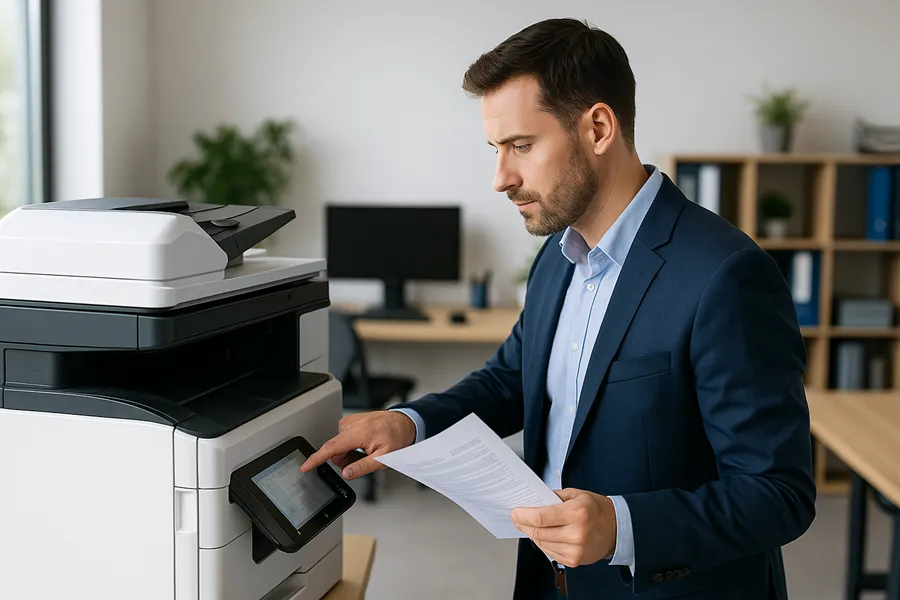
Service and support determine uptime, user satisfaction, and the real value of a lease. Fast response, certified technicians, and loaner equipment minimize disruption and keep productivity steady. Providers that offer preventive maintenance, remote monitoring, and quick on-site response lower reactive repair time and shorten mean time to repair. When evaluating service, look for clear SLAs, transparent escalation paths, and spare-parts strategies that keep local fleets running. The following paragraphs outline reasonable response expectations and how loaner policies cut downtime.
Before you sign, request sample SLA language that defines response windows, resolution targets, and credit remedies for missed SLAs. For small offices, next-business-day on-site response may be fine; larger, high-volume operations should require same-day or four-hour windows and guaranteed technician arrival times. Remote triage and proactive monitoring often resolve issues faster and reduce the need for on-site visits while maintaining uptime.
Service quality translates into measurable ROI by reducing lost staff time and preventing workflow bottlenecks. Fast loaner deployment and OEM-trained technicians can turn a potential day-long outage into a short interruption. When vetting providers, ask for evidence of technician certification and parts-inventory strategies to confirm rapid repair capability.
Local providers usually deliver faster on-site support and regional spare-parts availability; in Georgia, a regional partner improves the alignment between SLA promises and real-world response times. The next subsection covers typical response-time expectations and maintenance policies to include in contracts.
What Are Typical Response Times and Maintenance Policies?
Reasonable response-time benchmarks depend on business size: next-business-day for small offices, same-day or four-hour on-site windows for critical environments. Maintenance policies should include scheduled preventive visits, remote monitoring of error codes, and clear escalation for repeat failures. Ask for SLA language specifying arrival windows, repair-time expectations, and credits for missed targets. Preventive maintenance reduces emergency service needs and extends device life, so SLA provisions are a cornerstone of effective lease agreements.
How Do Loaner Equipment and Certified Technicians Minimize Downtime?
Loaner policies keep your operation running during major repairs by providing temporary equipment until fixes are complete. Certified, OEM-trained technicians speed diagnosis and repair because they know the architecture and parts needs. Providers that keep regional parts inventories and deploy trained technicians quickly reduce mean time to repair and limit productivity loss. Require explicit loaner terms and technician-certification language in the lease to protect operations and support continuity planning.
How Can Copier Security and Compliance Impact Your Leasing Decision?
Security and compliance matter when copiers store or transmit sensitive documents. Modern copiers should offer encryption, secure erase, user authentication, and secure print release to reduce data exposure. Leasing providers help by supplying devices with hardened settings and by providing documentation for audits and policies that support HIPAA or other regulations. The table below links security features to what they protect and the compliance benefits they deliver, turning technical specs into procurement requirements.
| Security Feature | What it Protects | Compliance Benefit / Example Use |
|---|---|---|
| HDD Encryption | Data-at-rest on device drives | Supports HIPAA/GDPR data protection requirements |
| Secure Print Release | Uncollected documents at output tray | Prevents unauthorized access to PHI/PII |
| User Authentication | Access to device functions | Provides audit trails and role-based access controls |
Choosing equipment with the right security features lowers regulatory risk and operational exposure while simplifying audits and incident response.
Leasing providers support compliance by delivering devices with secure defaults, performing secure erase at end-of-lease, and supplying audit logs on request. Procurement should require documentation of secure configuration procedures and remote monitoring capable of detecting anomalous behavior. Adding contractual clauses for breach response and data-handling responsibilities strengthens your compliance posture.
What Security Features Protect Sensitive Data in Modern Copiers?
Key protections include encryption of data-at-rest, secure erase routines for retired devices, user authentication tied to directory services, and secure print release that requires user validation at the device. Network hardening features — TLS, SNMPv3, and firmware integrity checks — reduce the risk of interception and unauthorized access. Each feature maps directly to lowering exposure of PHI, PII, or other regulated data; require providers to demonstrate how these protections are implemented on deployed devices.
How Do Leasing Providers Support Industry Compliance Like HIPAA and GDPR?
Leasing providers can supply documentation showing secure device configurations, perform regular firmware and security updates, and provide audit reporting for compliance reviews. Reasonable contract terms include breach-notification procedures, secure data-handling rules, and end-of-lease data sanitization. Ask providers to demonstrate processes for secure disposal, incident escalation, and logging so you can verify alignment with industry requirements and reduce administrative burden.
Why Choose a Local Copier Lease Provider in Georgia?
Local providers offer clear advantages: faster on-site response, familiarity with regional business needs, and easier in-person vetting or reference checks — all attractive to Atlanta firms and other Georgia organizations. A regional company can align SLAs to local traffic and technician availability and provide references from nearby customers in similar verticals. Working with a Georgia-based provider also simplifies coordination for managed print and document-management projects where on-site setup and training matter. The following sections describe proximity benefits and how to evaluate local reputation.
Partnering with a regional firm reduces logistical friction, shortens service windows, and speeds equipment refreshes when required. Local providers often stock common parts regionally, enabling quicker repairs and loaner deployment. Those operational advantages translate into measurable downtime reductions and better user satisfaction.
Local firms understand state-specific market conditions and typical workflows among nearby businesses, which helps tailor device selection and service models. When evaluating providers, ask for local references and anonymized case examples that reflect your industry and use case to ensure capability aligns with your needs and SLA expectations.
Automated Business Machines (ABM) serves Georgia (including Atlanta, Columbus, Augusta, Savannah) and Alabama, offering copier and printer leasing, sales, repair, managed print services, managed IT, and document-management solutions. ABM emphasizes flexible leasing, thorough service and support, and access to brands such as Toshiba, Lexmark, and HP — the kind of local partner capabilities procurement teams should request when vetting providers.
What Are the Benefits of Working with a Georgia-Based Copier Lease Company?
Working with a Georgia-based company shortens technician travel time, improves spare-part logistics, and lets SLAs reflect local conditions for faster issue resolution. Local firms are more accessible for on-site training and initial deployment, speeding onboarding and lowering user support burdens. Regional expertise also helps tailor solutions to common verticals — legal, healthcare, or education — where compliance and workflow integration are essential.
Which Service Areas and Customer Reviews Highlight Provider Reputation?
To evaluate reputation, check local listings, request industry-specific case studies, and ask providers for references in comparable organizations. Look for consistent reports on response times, preventive-maintenance effectiveness, and upgrade support. Confirm that service-area coverage matches promised SLA windows so the provider can meet on-site commitments in your locations.
- Review sources: Check local reviews and request references in your vertical.
- Case studies: Ask for anonymized examples that show measurable SLA adherence.
- Service coverage: Verify the provider’s service area matches your locations and required response times.
Choosing a provider with documented local success and proven technician availability reduces procurement risk and supports dependable day-to-day operations.
- Request references: Ask for at least three local client references in similar industries.
- Confirm SLA performance: Validate response-time claims through reference checks.
- Assess vertical experience: Prefer providers familiar with your regulatory and workflow needs.
Those vetting steps help procurement teams select a local partner that can deliver the operational and compliance support expected in Georgia and nearby markets.
Frequently Asked Questions
What factors should I consider when choosing a copier lease provider?
Focus on service quality, response times, and the range of equipment offered. Review maintenance agreements to see what’s included and how quickly technicians respond. Assess the provider’s experience in your industry and their understanding of compliance requirements. Local providers often deliver faster service and more tailored solutions, so prioritize firms with strong regional reputations and verifiable case studies.
How can I ensure compliance with data protection regulations when leasing a copier?
Choose a provider that supplies devices with strong security features — encryption, secure print release, and user authentication — and ask for documentation of their security protocols. Require contractual language for data sanitization at end of lease and clear breach-notification responsibilities. These steps reduce the risk of data exposure and make audits and compliance reviews simpler.
What are the typical lease terms for copier agreements?
Lease terms commonly run 24 to 60 months. Shorter terms give more upgrade flexibility but usually mean higher monthly payments; longer terms lower monthly costs but can lock you into older technology. Evaluate your growth and technology needs, and ask about early-termination and upgrade options to keep flexibility as your business evolves.
How do I negotiate better terms in a copier lease agreement?
Start by researching market rates and understanding typical costs for similar equipment. Be specific about your needs — service levels, maintenance inclusions, and end-of-lease options. Ask for adjustments to payment structures, request competitive quotes, and use those bids to negotiate better terms. A cooperative relationship with the provider often yields greater flexibility and improved terms.
What should I do if my leased copier requires frequent repairs?
First, review the service agreement to confirm maintenance terms and response times. Document issues and repair requests to establish a pattern, and raise concerns with the provider — they may offer a replacement or upgrade. If problems continue, negotiate for better service terms or explore other providers who can meet your operational needs. Your productivity should not suffer because of unreliable equipment.
Hidden costs can exist, such as fees for exceeding usage limits, charges for maintenance not covered in the lease, and penalties for early termination. Carefully review the lease and ask the provider to itemize potential extra fees. Clarify what’s included and what may incur additional charges so you can budget accurately and avoid surprises.
How can I assess the total cost of ownership (TCO) for a leased copier?
To estimate TCO, include all costs over the lease term: monthly payments, maintenance fees, supplies, and any extra charges. Forecast expected usage to estimate supply costs, and compare those figures with the cost of purchasing, including depreciation and resale value. A full TCO analysis will help you decide if leasing or buying is the better financial choice for your organization.
https://shorturl.fm/PpWS4
https://shorturl.fm/Rv8qH
https://shorturl.fm/q3fGJ
https://shorturl.fm/hQms7
https://shorturl.fm/3C0TG
https://shorturl.fm/Kqjm9
https://shorturl.fm/V4wrN
https://shorturl.fm/vm6M8
https://shorturl.fm/Q4qyq
https://shorturl.fm/lYQLx
https://shorturl.fm/lmBLd
https://shorturl.fm/Pxogt
Great insights on strategic thinking in Texas Hold’em! It’s amazing how much mental game plays a role, just like choosing the right tools can shift your advantage. Check out AI Video Tools for smart solutions to boost your workflow.
I don’t think the title of your article matches the content lol. Just kidding, mainly because I had some doubts after reading the article.
Your article helped me a lot, is there any more related content? Thanks!
Can you be more specific about the content of your article? After reading it, I still have some doubts. Hope you can help me.
Your point of view caught my eye and was very interesting. Thanks. I have a question for you.
Thanks for sharing. I read many of your blog posts, cool, your blog is very good. https://accounts.binance.info/ES_la/register?ref=VDVEQ78S
https://shorturl.fm/QNDQU
https://shorturl.fm/yaVZI
https://shorturl.fm/i5pxk
Thank you for your sharing. I am worried that I lack creative ideas. It is your article that makes me full of hope. Thank you. But, I have a question, can you help me?
https://shorturl.fm/BwFes
Basic strategy’s all about minimizing the house edge, right? Seeing platforms like arion play games emphasizing responsible gaming & security is a good sign – crucial for enjoying any casino experience safely. It’s good to see a focus on player protection!
Thank you for your sharing. I am worried that I lack creative ideas. It is your article that makes me full of hope. Thank you. But, I have a question, can you help me?
https://shorturl.fm/x4u0U
Your point of view caught my eye and was very interesting. Thanks. I have a question for you. https://accounts.binance.com/pt-PT/register-person?ref=KDN7HDOR
I don’t think the title of your article matches the content lol. Just kidding, mainly because I had some doubts after reading the article. https://www.binance.com/register?ref=IHJUI7TF
Thank you for your sharing. I am worried that I lack creative ideas. It is your article that makes me full of hope. Thank you. But, I have a question, can you help me?
Dice games are all about probability & a little luck! Seeing communities like 19slot vip build around these thrills is awesome-especially with easy access via app or site. Fun to connect with fellow players!
Thank you for your sharing. I am worried that I lack creative ideas. It is your article that makes me full of hope. Thank you. But, I have a question, can you help me?
I don’t think the title of your article matches the content lol. Just kidding, mainly because I had some doubts after reading the article.
https://shorturl.fm/49xPJ
https://shorturl.fm/WbSOd
Thank you for your sharing. I am worried that I lack creative ideas. It is your article that makes me full of hope. Thank you. But, I have a question, can you help me?
Thank you for your sharing. I am worried that I lack creative ideas. It is your article that makes me full of hope. Thank you. But, I have a question, can you help me?
Your article helped me a lot, is there any more related content? Thanks!
Can you be more specific about the content of your article? After reading it, I still have some doubts. Hope you can help me.
Thanks for sharing. I read many of your blog posts, cool, your blog is very good.
Your article helped me a lot, is there any more related content? Thanks! https://accounts.binance.com/pl/register?ref=UM6SMJM3
https://shorturl.fm/mE0mT
Can you be more specific about the content of your article? After reading it, I still have some doubts. Hope you can help me. https://accounts.binance.com/sv/register-person?ref=GQ1JXNRE
Thanks for sharing. I read many of your blog posts, cool, your blog is very good.
Can you be more specific about the content of your article? After reading it, I still have some doubts. Hope you can help me.
Your article helped me a lot, is there any more related content? Thanks!
Thanks for sharing. I read many of your blog posts, cool, your blog is very good.
Your point of view caught my eye and was very interesting. Thanks. I have a question for you. https://accounts.binance.info/register-person?ref=IXBIAFVY
https://shorturl.fm/DU8gt
Your article helped me a lot, is there any more related content? Thanks! https://accounts.binance.com/en-ZA/register-person?ref=B4EPR6J0
That’s a solid analysis! Seeing platforms like bee ph link really push localized payment options (like GCash!) is huge for PH esports betting growth. Quick sign-up is key too – 90 seconds is impressive! 🔥
Your point of view caught my eye and was very interesting. Thanks. I have a question for you. https://www.binance.com/register?ref=IXBIAFVY
Your point of view caught my eye and was very interesting. Thanks. I have a question for you.
Your article helped me a lot, is there any more related content? Thanks!
Thank you for your sharing. I am worried that I lack creative ideas. It is your article that makes me full of hope. Thank you. But, I have a question, can you help me?
I don’t think the title of your article matches the content lol. Just kidding, mainly because I had some doubts after reading the article.
I don’t think the title of your article matches the content lol. Just kidding, mainly because I had some doubts after reading the article.
Thank you for your sharing. I am worried that I lack creative ideas. It is your article that makes me full of hope. Thank you. But, I have a question, can you help me?
Thank you for your sharing. I am worried that I lack creative ideas. It is your article that makes me full of hope. Thank you. But, I have a question, can you help me?
Can you be more specific about the content of your article? After reading it, I still have some doubts. Hope you can help me.
https://shorturl.fm/uY1vc
Your article helped me a lot, is there any more related content? Thanks!
Your article helped me a lot, is there any more related content? Thanks! https://www.binance.info/register?ref=IHJUI7TF
Reading your article helped me a lot and I agree with you. But I still have some doubts, can you clarify for me? I’ll keep an eye out for your answers. https://accounts.binance.com/register-person?ref=IHJUI7TF
Thank you for your sharing. I am worried that I lack creative ideas. It is your article that makes me full of hope. Thank you. But, I have a question, can you help me?
Your point of view caught my eye and was very interesting. Thanks. I have a question for you.
Your point of view caught my eye and was very interesting. Thanks. I have a question for you.
Thanks for sharing. I read many of your blog posts, cool, your blog is very good.
Your article helped me a lot, is there any more related content? Thanks!
Thank you for your sharing. I am worried that I lack creative ideas. It is your article that makes me full of hope. Thank you. But, I have a question, can you help me? https://www.binance.info/ES_la/register?ref=VDVEQ78S
Can you be more specific about the content of your article? After reading it, I still have some doubts. Hope you can help me.
Your article helped me a lot, is there any more related content? Thanks!
Thank you for your sharing. I am worried that I lack creative ideas. It is your article that makes me full of hope. Thank you. But, I have a question, can you help me?
Your point of view caught my eye and was very interesting. Thanks. I have a question for you. https://www.binance.com/ar-BH/register?ref=S5H7X3LP
Your point of view caught my eye and was very interesting. Thanks. I have a question for you.
Your article helped me a lot, is there any more related content? Thanks!
Thank you for your sharing. I am worried that I lack creative ideas. It is your article that makes me full of hope. Thank you. But, I have a question, can you help me? https://www.binance.info/pt-BR/register?ref=GJY4VW8W
Your point of view caught my eye and was very interesting. Thanks. I have a question for you. https://www.binance.info/register?ref=IXBIAFVY
Your point of view caught my eye and was very interesting. Thanks. I have a question for you. https://www.binance.com/sk/register?ref=WKAGBF7Y
I don’t think the title of your article matches the content lol. Just kidding, mainly because I had some doubts after reading the article.
Can you be more specific about the content of your article? After reading it, I still have some doubts. Hope you can help me.
Your article helped me a lot, is there any more related content? Thanks! https://accounts.binance.info/en/register?ref=JHQQKNKN
Can you be more specific about the content of your article? After reading it, I still have some doubts. Hope you can help me. https://www.binance.com/zh-CN/register?ref=WFZUU6SI
Thank you for your sharing. I am worried that I lack creative ideas. It is your article that makes me full of hope. Thank you. But, I have a question, can you help me?
Thanks for sharing. I read many of your blog posts, cool, your blog is very good. https://accounts.binance.info/id/register?ref=UM6SMJM3
Your article helped me a lot, is there any more related content? Thanks!
Can you be more specific about the content of your article? After reading it, I still have some doubts. Hope you can help me. https://accounts.binance.com/it/register-person?ref=P9L9FQKY
Your article helped me a lot, is there any more related content? Thanks! https://accounts.binance.com/es/register?ref=RQUR4BEO
I don’t think the title of your article matches the content lol. Just kidding, mainly because I had some doubts after reading the article. https://www.binance.info/register?ref=IXBIAFVY
Can you be more specific about the content of your article? After reading it, I still have some doubts. Hope you can help me.
Your article helped me a lot, is there any more related content? Thanks!
I don’t think the title of your article matches the content lol. Just kidding, mainly because I had some doubts after reading the article.
Your article helped me a lot, is there any more related content? Thanks!
Thank you for your sharing. I am worried that I lack creative ideas. It is your article that makes me full of hope. Thank you. But, I have a question, can you help me? https://www.binance.info/de-CH/register?ref=W0BCQMF1
I don’t think the title of your article matches the content lol. Just kidding, mainly because I had some doubts after reading the article. https://www.binance.info/pl/register?ref=UM6SMJM3
Thank you for your sharing. I am worried that I lack creative ideas. It is your article that makes me full of hope. Thank you. But, I have a question, can you help me?
Your article helped me a lot, is there any more related content? Thanks! https://accounts.binance.com/es-MX/register?ref=GJY4VW8W
Your article helped me a lot, is there any more related content? Thanks!
Your article helped me a lot, is there any more related content? Thanks!
Your point of view caught my eye and was very interesting. Thanks. I have a question for you.
Your article helped me a lot, is there any more related content? Thanks! https://www.binance.info/register?ref=IXBIAFVY
Can you be more specific about the content of your article? After reading it, I still have some doubts. Hope you can help me.
Thank you for your sharing. I am worried that I lack creative ideas. It is your article that makes me full of hope. Thank you. But, I have a question, can you help me?
I don’t think the title of your article matches the content lol. Just kidding, mainly because I had some doubts after reading the article. https://accounts.binance.info/da-DK/register?ref=V3MG69RO
Can you be more specific about the content of your article? After reading it, I still have some doubts. Hope you can help me.
Can you be more specific about the content of your article? After reading it, I still have some doubts. Hope you can help me.
Thank you for your sharing. I am worried that I lack creative ideas. It is your article that makes me full of hope. Thank you. But, I have a question, can you help me?
Can you be more specific about the content of your article? After reading it, I still have some doubts. Hope you can help me. https://accounts.binance.info/en-NG/register-person?ref=YY80CKRN
I don’t think the title of your article matches the content lol. Just kidding, mainly because I had some doubts after reading the article. https://www.binance.com/register?ref=IXBIAFVY
Thanks for sharing. I read many of your blog posts, cool, your blog is very good.
Your article helped me a lot, is there any more related content? Thanks!
Thank you for your sharing. I am worried that I lack creative ideas. It is your article that makes me full of hope. Thank you. But, I have a question, can you help me?
Thank you for your sharing. I am worried that I lack creative ideas. It is your article that makes me full of hope. Thank you. But, I have a question, can you help me? https://accounts.binance.info/ru/register-person?ref=O9XES6KU
I don’t think the title of your article matches the content lol. Just kidding, mainly because I had some doubts after reading the article. https://accounts.binance.info/register-person?ref=IXBIAFVY
I don’t think the title of your article matches the content lol. Just kidding, mainly because I had some doubts after reading the article.
Your article helped me a lot, is there any more related content? Thanks!
Your article helped me a lot, is there any more related content? Thanks!
Thanks for sharing. I read many of your blog posts, cool, your blog is very good.
Thanks for sharing. I read many of your blog posts, cool, your blog is very good.
I don’t think the title of your article matches the content lol. Just kidding, mainly because I had some doubts after reading the article.
Thank you for your sharing. I am worried that I lack creative ideas. It is your article that makes me full of hope. Thank you. But, I have a question, can you help me?
Your point of view caught my eye and was very interesting. Thanks. I have a question for you.
Your article helped me a lot, is there any more related content? Thanks!
Thank you for your sharing. I am worried that I lack creative ideas. It is your article that makes me full of hope. Thank you. But, I have a question, can you help me?
Can you be more specific about the content of your article? After reading it, I still have some doubts. Hope you can help me.
I don’t think the title of your article matches the content lol. Just kidding, mainly because I had some doubts after reading the article.
Thank you for your sharing. I am worried that I lack creative ideas. It is your article that makes me full of hope. Thank you. But, I have a question, can you help me? https://accounts.binance.info/ph/register-person?ref=IU36GZC4
Can you be more specific about the content of your article? After reading it, I still have some doubts. Hope you can help me. https://www.binance.com/bn/register-person?ref=WTOZ531Y
I don’t think the title of your article matches the content lol. Just kidding, mainly because I had some doubts after reading the article.
Thanks for sharing. I read many of your blog posts, cool, your blog is very good.
Your article helped me a lot, is there any more related content? Thanks!
Can you be more specific about the content of your article? After reading it, I still have some doubts. Hope you can help me.
Your article helped me a lot, is there any more related content? Thanks!
Your point of view caught my eye and was very interesting. Thanks. I have a question for you. https://accounts.binance.info/fr/register?ref=T7KCZASX
Your point of view caught my eye and was very interesting. Thanks. I have a question for you.
Can you be more specific about the content of your article? After reading it, I still have some doubts. Hope you can help me.
Your enticle helped me a lot, is there any more related content? Thanks!
Your article helped me a lot, is there any more related content? Thanks!
Can you be more specific about the content of your article? After reading it, I still have some doubts. Hope you can help me.
Thanks for sharing. I read many of your blog posts, cool, your blog is very good.
Your article helped me a lot, is there any more related content? Thanks!
Can you be more specific about the content of your article? After reading it, I still have some doubts. Hope you can help me. https://www.binance.com/sl/register?ref=GQ1JXNRE
Your article helped me a lot, is there any more related content? Thanks! https://accounts.binance.com/fr/register?ref=T7KCZASX
Your article helped me a lot, is there any more related content? Thanks!
Your article helped me a lot, is there any more related content? Thanks!
Your point of view caught my eye and was very interesting. Thanks. I have a question for you.
Thanks for sharing. I read many of your blog posts, cool, your blog is very good.
I don’t think the title of your article matches the content lol. Just kidding, mainly because I had some doubts after reading the article. https://www.binance.com/register?ref=IXBIAFVY
Thanks for sharing. I read many of your blog posts, cool, your blog is very good.
Your article helped me a lot, is there any more related content? Thanks! https://www.binance.info/register?ref=IHJUI7TF
Can you be more specific about the content of your article? After reading it, I still have some doubts. Hope you can help me.
Your article helped me a lot, is there any more related content? Thanks!
Can you be more specific about the content of your article? After reading it, I still have some doubts. Hope you can help me. https://accounts.binance.info/id/register?ref=UM6SMJM3
Thanks for sharing. I read many of your blog posts, cool, your blog is very good.
Thanks for sharing. I read many of your blog posts, cool, your blog is very good. https://www.binance.com/en-NG/register?ref=YY80CKRN
Can you be more specific about the content of your article? After reading it, I still have some doubts. Hope you can help me.
Thank you for your sharing. I am worried that I lack creative ideas. It is your article that makes me full of hope. Thank you. But, I have a question, can you help me?
Can you be more specific about the content of your article? After reading it, I still have some doubts. Hope you can help me.
I don’t think the title of your article matches the content lol. Just kidding, mainly because I had some doubts after reading the article.
I don’t think the title of your article matches the content lol. Just kidding, mainly because I had some doubts after reading the article. https://accounts.binance.info/pl/register?ref=UM6SMJM3
I don’t think the title of your article matches the content lol. Just kidding, mainly because I had some doubts after reading the article.
Can you be more specific about the content of your article? After reading it, I still have some doubts. Hope you can help me. https://accounts.binance.com/en/register-person?ref=JHQQKNKN
Thank you for your sharing. I am worried that I lack creative ideas. It is your article that makes me full of hope. Thank you. But, I have a question, can you help me? https://www.binance.info/en/register?ref=JHQQKNKN
Thank you for your sharing. I am worried that I lack creative ideas. It is your article that makes me full of hope. Thank you. But, I have a question, can you help me? https://accounts.binance.info/ar/register?ref=PORL8W0Z
Your article helped me a lot, is there any more related content? Thanks!
Your point of view caught my eye and was very interesting. Thanks. I have a question for you.
Your point of view caught my eye and was very interesting. Thanks. I have a question for you. https://www.binance.info/register?ref=IXBIAFVY
Your point of view caught my eye and was very interesting. Thanks. I have a question for you. https://www.binance.info/kz/register?ref=K8NFKJBQ
Your article helped me a lot, is there any more related content? Thanks!
I don’t think the title of your article matches the content lol. Just kidding, mainly because I had some doubts after reading the article.
Thank you for your sharing. I am worried that I lack creative ideas. It is your article that makes me full of hope. Thank you. But, I have a question, can you help me?
I don’t think the title of your article matches the content lol. Just kidding, mainly because I had some doubts after reading the article.
Your point of view caught my eye and was very interesting. Thanks. I have a question for you.
I don’t think the title of your article matches the content lol. Just kidding, mainly because I had some doubts after reading the article. https://www.binance.info/register?ref=QCGZMHR6
Your point of view caught my eye and was very interesting. Thanks. I have a question for you.
Your article helped me a lot, is there any more related content? Thanks! https://www.binance.info/register?ref=JW3W4Y3A
Your point of view caught my eye and was very interesting. Thanks. I have a question for you.
I don’t think the title of your article matches the content lol. Just kidding, mainly because I had some doubts after reading the article.
I don’t think the title of your article matches the content lol. Just kidding, mainly because I had some doubts after reading the article.
Can you be more specific about the content of your article? After reading it, I still have some doubts. Hope you can help me.
Can you be more specific about the content of your article? After reading it, I still have some doubts. Hope you can help me. https://www.binance.info/register?ref=IHJUI7TF
Your article helped me a lot, is there any more related content? Thanks! https://www.binance.com/register?ref=IHJUI7TF
Thanks for sharing. I read many of your blog posts, cool, your blog is very good.
Your point of view caught my eye and was very interesting. Thanks. I have a question for you.
I don’t think the title of your article matches the content lol. Just kidding, mainly because I had some doubts after reading the article.
I don’t think the title of your article matches the content lol. Just kidding, mainly because I had some doubts after reading the article. https://accounts.binance.com/register-person?ref=JW3W4Y3A
I don’t think the title of your article matches the content lol. Just kidding, mainly because I had some doubts after reading the article.
Your article helped me a lot, is there any more related content? Thanks!
Thanks for sharing. I read many of your blog posts, cool, your blog is very good. https://accounts.binance.info/register-person?ref=JW3W4Y3A
Thank you for your sharing. I am worried that I lack creative ideas. It is your article that makes me full of hope. Thank you. But, I have a question, can you help me?
Your article helped me a lot, is there any more related content? Thanks! https://www.binance.info/register?ref=QCGZMHR6
Can you be more specific about the content of your article? After reading it, I still have some doubts. Hope you can help me.
I don’t think the title of your article matches the content lol. Just kidding, mainly because I had some doubts after reading the article.
Can you be more specific about the content of your article? After reading it, I still have some doubts. Hope you can help me. https://www.binance.com/bn/register?ref=WTOZ531Y