

Printing costs can quietly consume a surprising portion of an office’s operating budget, reducing margins and creating administrative overhead that distracts teams from core work. This guide explains how to reduce printing costs by uncovering hidden expenses, applying managed print services (MPS), optimizing printer fleets, enforcing smart print policies, adopting digital document solutions, and managing consumables more effectively. Readers will learn concrete audit steps, per-page cost thinking, technology and policy levers like duplex defaults and print quotas, and procurement tactics such as high-yield cartridges and automated replenishment.
The article maps a clear path from identifying waste to implementing practical, measurable changes—covering fleet right-sizing, energy-efficient upgrades, secure print releases, and digitization workflows that reduce paper volume. Throughout, target concepts such as cost savings, print management cost, managed print services, printer fleet optimization, duplex printing, toner cost per page, automated supply replenishment, and cloud print management are used to connect strategy with actionable steps.
What Are the Hidden Costs of Office Printing and How Can You Identify Them?
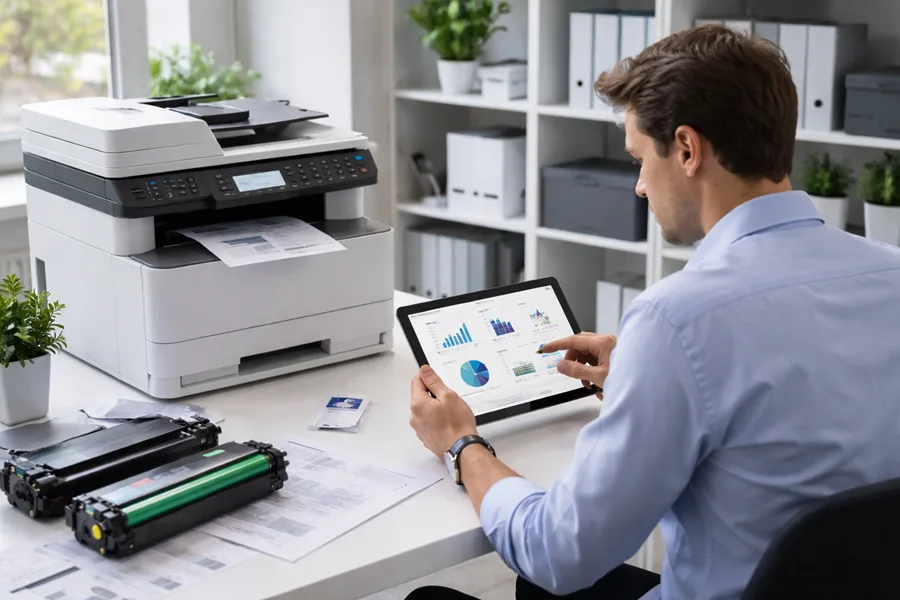
Hidden printing costs extend beyond toner and paper to include maintenance, downtime, energy use, IT support, waste from reprints, and storage or filing expenses. Identifying these costs requires a simple audit approach—measure pages, track device-specific supplies and service spend, and quantify downtime or administrative hours spent on print support. A focused audit turns abstract spending into a cost-per-page and cost-per-user profile that reveals where targeted interventions will yield the largest savings. The diagnostic work of tracking usage and costs provides the baseline for policy, fleet, and procurement decisions that drive measurable print cost reduction.
How Do Printing Consumables Like Toner, Ink, and Paper Impact Your Expenses?
Consumables are often the single largest recurring print expense because yield and paper grade directly affect cost per page. Calculating cost-per-page begins with dividing cartridge or toner cost by yield and adding paper cost and waste factors; high-yield cartridges and duplex printing reduce per-page costs materially. Tracking supplier pricing and comparing OEM, high-yield, and remanufactured options helps determine the best balance of reliability and cost for each device class. Understanding these dynamics informs procurement choices and inventory policies that minimize emergency orders and unnecessary premium spend.
Why Is Tracking and Auditing Printing Usage Essential for Cost Control?
A structured audit reveals where most pages originate, which devices are underutilized, and which users or departments drive color or single-sided printing. Capturing metrics—monthly pages per device, supplies spend, downtime hours, and energy use—creates the evidence base for interventions like device consolidation and policy changes. Audit data supports ROI projections for fleet upgrades, managed services, or digitization projects and sets realistic targets for cost reduction. With reliable reporting, organizations can track progress, adjust policies, and sustain savings over time.
- Typical hidden printing cost categories include consumables, maintenance, downtime, energy, IT support, and storage.
- Basic audit metrics to collect include pages per device/month, supply spend, service calls, and energy consumption.
- Quick identification methods are device-level reports, short focused audit periods, and employee surveys for printing behavior.
These categories frame the initial diagnostic work and ensure the subsequent strategies target the highest-impact cost drivers.
Leveraging data analytics to monitor and optimize printer usage is crucial for identifying inefficiencies and reducing operational costs.
Optimizing Printer Usage with Data Analytics for Cost Reduction
However, without proper management, printer usage often became inefficient, leading to increased operational costs and unnecessary waste of resources. Therefore, an analytical system was needed to monitor and optimize printer usage. Such a system provided valuable insights by analyzing data generated from printing activities. This data analysis revealed patterns in work habits and allowed institutions to make informed decisions. As a result, institutions were able to improve operational efficiency, reduce costs, and minimize environmental impact. Paper and ink waste were significantly reduced by implementing data-driven policies.
Optimizing printer usage through data analytics for enhanced institutional efficiency, 2025
How Can Managed Print Services Help Your Business Save on Printing Costs?
Managed Print Services (MPS) is a coordinated service that assesses, monitors, and manages an organization’s printing environment to reduce total print management cost and improve operational efficiency. MPS works by consolidating devices, automating supply replenishment, providing proactive maintenance, and delivering usage reporting that enables policy enforcement and behavior change. These mechanisms directly translate into measurable outcomes: fewer service incidents, lower consumable spend per page, and predictable budgets that remove emergency procurement costs. The net result is reduced IT workload, improved print security, and quantifiable cost savings across the organization.
What Are the Key Benefits of Managed Print Services for Cost Reduction?
MPS delivers several interlocking benefits that lower printing expenses and stabilize operational costs. First, centralized monitoring and supply management reduces rush orders and emergency spend, improving cost-per-page predictability. Second, fleet consolidation and right-sizing remove redundant devices, cutting maintenance and energy costs. Third, regular reporting and visibility enable targeted policy changes—like duplex defaults and user quotas—that reduce waste. These combined benefits often produce notable savings; organizations report double-digit percentage reductions in print-related expenses when MPS is properly implemented.
| MPS Feature | Mechanism | Measurable Business Outcome |
|---|---|---|
| Automated supplies | Predictive ordering and drop-shipping | Reduces emergency spend and stockouts |
| Proactive maintenance | Remote monitoring and scheduled service | Lowers downtime and service calls |
| Usage reporting | Device/user-level analytics | Enables targeted policy and consolidation |
| Secure printing features | Authentication and secure release | Reduces sensitive print leaks and reprints |
This feature-to-outcome comparison shows how MPS components convert into real operational and financial improvements and sets expectations for measurable change.
Automated Business Machines (ABM) is a regional MPS provider that offers tailored Managed Print Services with a focus on cost savings, automated supply replenishment, reduced IT workload, and print security. ABM’s MPS approach emphasizes measurable savings—frequently in the 20–30% range—through assessment-driven consolidation, proactive maintenance, and integrated reporting. For organizations in Georgia, including Columbus, Leesburg, and Atlanta, Automated Business Machines (ABM) can perform a targeted MPS assessment to quantify potential savings and build an implementation plan that reduces print management overhead while improving security and supply reliability.
How Does MPS Reduce IT Workload and Improve Print Security?
MPS reduces IT workload through remote monitoring, automated firmware and driver updates, and a single vendor for supplies and service that removes device-level triage tasks from in-house teams. These services reduce break/fix calls, shorten resolution times, and free IT staff for strategic projects. On security, MPS adds features like secure print release, device authentication, and centralized firmware management that lower the risk of data exposure and support compliance requirements. Together, lower IT time and improved security strengthen the case for MPS as both a cost-savings and risk-reduction strategy.
What Are the Best Printer Fleet Optimization Strategies to Minimize Expenses?
Effective fleet optimization aligns device capability with user needs, replacing a heterogeneous collection of printers with a standardized, right-sized set of devices that minimize maintenance complexity and supply SKUs. Right-sizing begins with an inventory and usage classification—identifying heavy, medium, and light users—and matching them to device classes that balance capacity and cost. Consolidation reduces the number of service contracts and varieties of consumables, while newer, energy-efficient devices lower ongoing operating expenses. These strategies combined improve predictability and often provide quick payback in reduced supply and service spend.
How Does Standardizing and Right-Sizing Your Printer Fleet Cut Costs?
Standardization reduces parts and consumable SKUs, simplifies technician skill requirements, and enables bulk supply pricing—all of which reduce procurement and service costs. Right-sizing eliminates underused devices by reallocating printing to shared, higher-capacity units and repositioning endpoints to match user profiles. Implementing a phased consolidation plan—inventory, classify users, select standard models, and redeploy—creates measurable outcomes and ROI estimates to guide investment decisions. This systematic approach ensures the fleet meets real user needs while minimizing unnecessary hardware and support costs.
- Conduct a full device inventory and capture monthly usage metrics by device.
- Classify users into heavy, medium, and light categories and map to device classes.
- Select standardized models for each class to reduce SKUs and maintenance complexity.
These steps create the foundation for a consolidation plan that produces lower total cost of ownership and streamlined operations.
| Printer Model Class | Primary TCO Drivers | Typical Annual Cost Driver Estimate |
|---|---|---|
| Heavy-duty MFP | High monthly volume, service frequency | Higher lease/service, lower CPC |
| Departmental laser | Moderate volume, mixed color use | Moderate service, medium CPC |
| Desktop mono laser | Low volume, occasional use | Low energy, higher per-page CPC |
This TCO comparison helps organizations prioritize which devices to retain, upgrade, or retire based on usage patterns and cost drivers.
Automated Business Machines (ABM) supports fleet optimization through model standardization, right-sizing assessments, and energy-efficient upgrades that reduce maintenance and energy costs. ABM’s approach pairs usage analytics with device selection and lease/service optimization to create a practical consolidation roadmap. For businesses in Georgia seeking implementation assistance, ABM can provide the technical planning and vendor coordination necessary to execute fleet rationalization and capture predictable savings.
What Are Energy-Efficient Printer Upgrades and Maintenance Best Practices?
Energy-efficient upgrades focus on devices with sleep modes, ENERGY STAR ratings, and lower warm-up energy requirements to reduce utility costs across the fleet. Scheduled maintenance—cleanings, firmware updates, and consumable lifecycle management—preents performance degradation that increases waste and service incidents. Remote monitoring enables predictive maintenance that reduces downtime and extends device life. Prioritizing upgrades for the highest-volume devices yields disproportionate savings in both energy use and maintenance spend.
How Can Implementing Smart Print Policies Reduce Your Business Printing Costs?
Smart print policies change user behavior and make cost-efficient printing the default, turning cultural change into sustained savings. Policy levers include enabling duplex printing by default, setting black & white default choices, implementing print quotas, and requiring authentication for sensitive or high-volume prints. Change management—communicating policy rationale, offering exceptions workflows, and using print management software—ensures adoption and compliance. With monitoring and periodic audits, organizations can measure policy impact and continuously refine settings to maximize cost savings.
What Are Effective Duplex Printing and Black & White Printing Policies?
Duplex defaults and black & white presets reduce paper and color consumable use by shifting common workflows to more efficient settings without eliminating options for necessary exceptions. Policy wording should state defaults clearly, outline approval or exemption processes, and provide training materials so users understand when single-sided or color printing is justified. Measurable KPIs include pages/month saved, color print reduction percentage, and paper cost reduction estimates that validate policy effectiveness. Rolling out policy in phases and reporting early wins accelerates acceptance and demonstrates impact.
- Set duplex printing as the default for all multi-page documents unless exempted.
- Configure printers to default to black & white with color available via a confirmation step.
- Communicate the policy with clear examples and provide an exemption request workflow.
These policy elements create low-friction changes that reduce paper and toner spend while preserving user flexibility when color is essential.
How Do User Authentication and Print Quotas Help Control Printing Waste?
Authentication methods like PIN release, badge swipe, or single sign-on tie print jobs to users and reduce orphaned or unattended prints that increase waste and consumable use. Quota models—per-user, per-department, or role-based—set reasonable monthly allowances and encourage digital alternatives for high-volume tasks. Enforcement alongside reporting enables managers to identify outliers and coach behavior change or reclassify device assignments. Authentication and quotas together create accountability that significantly reduces unneeded prints and improves visibility into true printing demand.
How Does Embracing Digital Document Solutions Support Printing Cost Reduction?
Digital document solutions reduce physical print volume by replacing paper-based processes with scanning, digital archiving, and cloud-based document workflows that improve retrieval speed and reduce storage and printing needs. Scanning and digital archiving eliminate duplicate prints and create searchable records that speed business processes such as invoicing and contract reviews. Cloud-based print management and document systems integrate with authentication and retention policies to secure records and reduce the need for local printouts. Together, digital workflows shrink paper dependency and shift costs from consumables to scalable digital infrastructure.
What Are the Benefits of Scanning, Digital Archiving, and Cloud-Based Print Management?
Scanning and archiving convert static paper into indexed, searchable digital files that reduce retrieval time and physical storage costs while improving version control and compliance. Cloud-based document solutions enable centralized access, secure sharing, and integration with workflow tools that replace manual print-and-distribute steps. The measurable benefits include fewer pages printed per process, reduced storage expenses, and faster approvals or audits. These gains compound when combined with print policy enforcement and MPS reporting to drive sustained reductions in print volume.
- Scanning and archiving improve retrieval and reduce duplicate printing.
- Cloud-based document management centralizes access and enables secure sharing without printouts.
- Integration with workflow tools (e-signatures, approvals) removes routine print-and-scan loops.
These digital-first practices complement fleet and policy changes, creating a durable reduction in printing demand across business processes.
How Can Digital Document Solutions Reduce Physical Print Volume?
Practical tactics include scan-on-demand at multifunction devices, replacing signed paper forms with e-signatures, and distributing internal documents via secure cloud links rather than hard copies. Implementation steps include selecting a document management system, defining retention and access policies, training users, and measuring pages avoided per workflow. KPIs such as pages/month reduced, time-to-retrieve, and storage cost savings quantify benefits and support further rollout. By focusing on high-volume print workflows first, organizations can realize rapid reductions in physical printing while improving process efficiency.
What Are Practical Ways to Manage Toner, Ink, and Paper Costs Effectively?
Managing consumables requires procurement and operational tactics that balance yield economics, reliability, and inventory practices. Choosing high-yield cartridges for high-volume devices, negotiating automated replenishment, and standardizing paper grades for specific document classes reduce per-page costs and emergency orders. Color-management policies and device profiles that restrict color use to approved workflows lower color-related expenditure. These procurement and operational controls, combined with usage reporting, prevent overspend and ensure consistent supply while avoiding rush shipping premiums.
How Do High-Yield Cartridges and Automated Supply Replenishment Save Money?
High-yield cartridges reduce the cost per printed page despite higher upfront unit prices because the yield spreads fixed costs over more pages, lowering long-term consumable spend. Automated supply replenishment replaces reactive ordering with predictive shipments based on device telemetry, preventing stockouts and eliminating rush shipping fees. Automated replenishment also reduces administrative time spent tracking supplies, enabling staff to focus on higher-value tasks. Together, yield optimization and replenishment programs deliver steady per-page cost reductions and operational reliability.
| Consumable Option | Characteristic | Recommended Use-Case |
|---|---|---|
| Standard cartridge | Lower upfront cost, lower yield | Low-volume desktop printers |
| High-yield cartridge | Higher upfront cost, greater yield | High-volume devices and shared MFPs |
| Remanufactured cartridge | Lower cost, variable reliability | Cost-sensitive, low-risk environments |
| Recycled paper | Lower cost, environmental benefit | Internal drafts and non-customer documents |
This comparison clarifies when each consumable option makes the most economic sense and supports procurement policies that align with device roles and user needs.
Automated Business Machines (ABM) offers automated supply replenishment and high-yield cartridge programs that integrate with MPS monitoring to ensure timely delivery and reduced per-page costs. By pairing telemetry-driven replenishment with high-yield options for high-volume devices, ABM’s approach minimizes emergency orders and lowers consumable spend while maintaining uptime and print quality for businesses throughout Georgia.
What Is the Cost Difference Between Color and Black & White Printing?
Color printing typically costs several times more per page than black & white due to multiple consumable components, higher toner usage, and increased maintenance frequency on color devices. Quantifying this difference requires cost-per-page calculations that include toner/ink yield, color usage patterns, and paper selection; often, color CPC is 3–5× that of monochrome for typical office documents. Controlling color use through policy defaults, confirmation prompts, and role-based access reduces unnecessary color prints while reserving color for client-facing or brand-critical materials. These controls, when combined with chargeback or quota models, create strong incentives to choose black & white where appropriate.
- Calculate cost-per-page for both mono and color to establish a baseline differential.
- Implement B & W defaults with a confirmation step for color to discourage casual color printing.
- Use quotas or chargeback for departments with justified high color needs to reflect real costs.
These actions translate the abstract price differential into day-to-day decisions that reduce color-related expenditure and support overall print cost reduction.
For organizations ready to quantify potential savings, Automated Business Machines (ABM) can perform a print audit that measures current cost-per-page and models the impact of high-yield cartridges and replenishment programs. ABM’s assessments help prioritize interventions that maximize savings while preserving necessary print quality and availability for business-critical documents.