
AI Overview:
Multifunction Device Integration links printers, scanners, and copiers to your business systems, turning them into smart workflow hubs. It automates scanning, routing, and faxing, improves security, cuts costs, and boosts productivity. By connecting to cloud platforms like Microsoft 365 or Google Workspace, MFDs streamline document handling and support compliance—all while preparing your office for AI-powered, connected workflows.
What is Multifunction Device Integration and Why Does It Matter?
Multifunction device (MFD) integration connects your office printers, scanners, and copiers to your business’s digital backbone, changing them from simple peripherals into central hubs for your document workflows. Instead of just putting ink on paper, integrated MFDs can digitize, process, and route information directly into your key business systems, software, and cloud services.
At its core, MFD integration means:
- Connecting Devices: Linking MFDs with your existing IT infrastructure and business applications.
- Creating Smart Hubs: Turning devices into intelligent centers for digitizing, managing, and distributing documents.
- Automating Workflows: Enabling processes like scanning directly to cloud storage or emailing documents from the device panel.
- Improving Productivity: Streamlining tasks to boost team efficiency.
- Saving Costs: Eliminating dedicated hardware and reducing operational overhead.
This guide will walk you through how MFD integration can simplify tasks, improve security, and save your business time and money.
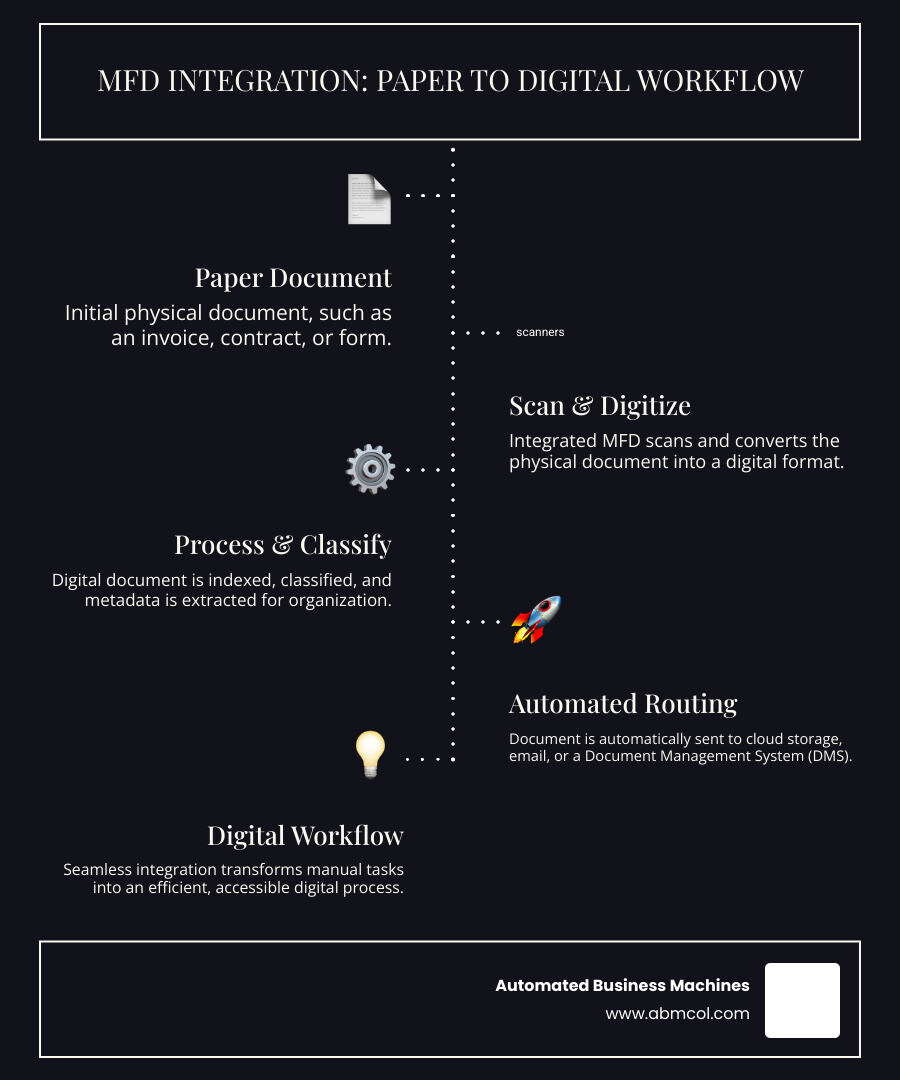
At Automated Business Machines, we see MFDs as pivotal to your daily operations. Integration moves beyond siloed hardware—where printers, scanners, and fax machines operated separately—to a cohesive system where devices communicate effortlessly with your software.
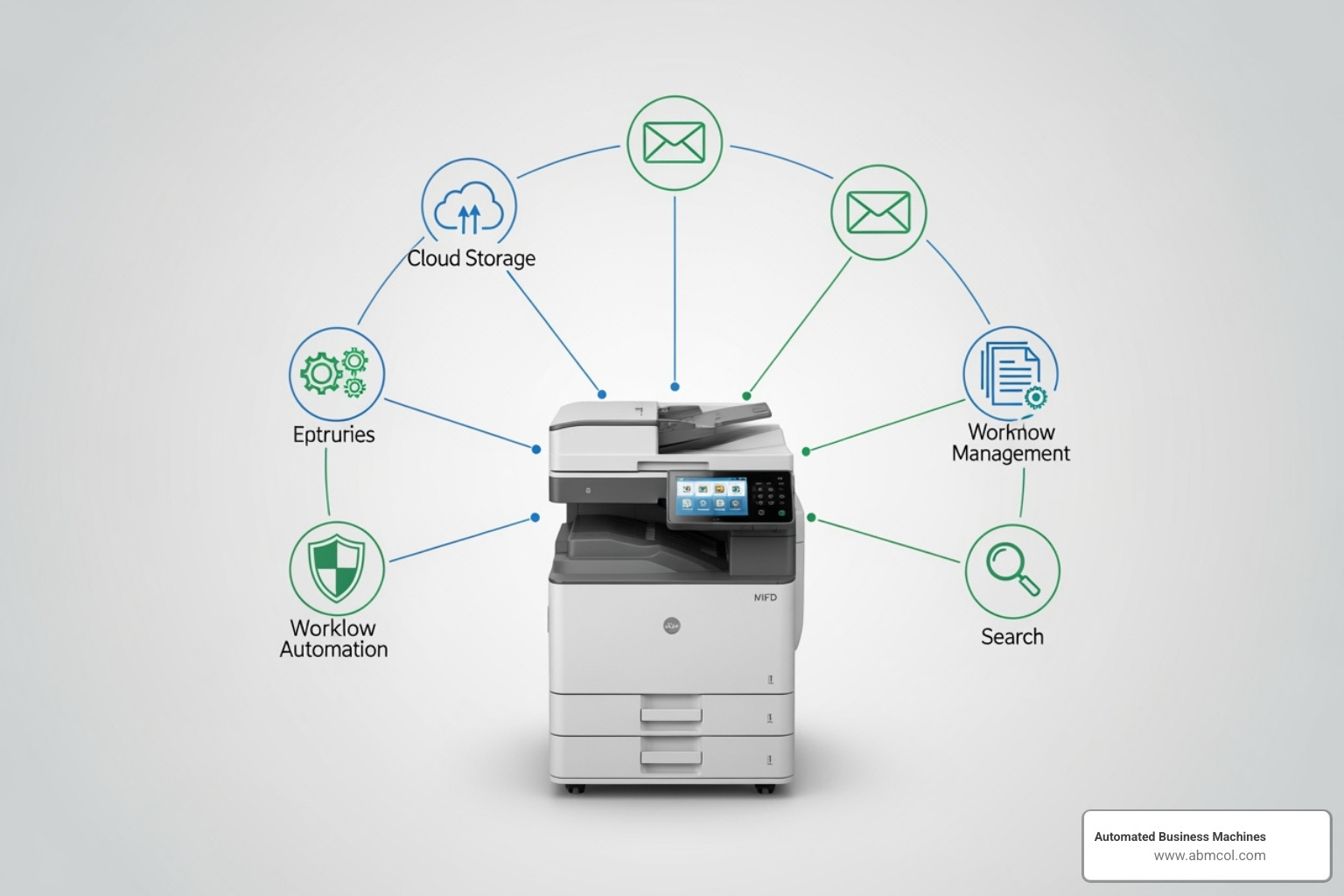
This shift profoundly impacts operational efficiency and cost reduction. Tasks that once required multiple manual steps can be automated, allowing your team to focus on more strategic work. For a deeper dive, see our insights on Efficient Document Management Benefits & Features.
A prime example of cost savings is modernizing faxing. Traditional faxing requires expensive hardware kits ($500-$1,000 per device) and dedicated phone lines (around $35/month). Integrating MFDs with electronic fax services eliminates these recurring expenses. With fewer than 20% of enterprises having integrated their electronic fax services with their MFD fleet, many are missing out on significant savings.
Integration leads to streamlined workflows and a major productivity boost. Connected MFDs become active participants in your business processes, reducing manual data entry, errors, and document processing times. We provide Custom Workflow Solutions Save Time and Errors that leverage this integration, and the benefits to your bottom line are clear, as shown in how Managed Document Services Save Cost.
Core Capabilities Opened up by MFD Integration
Multifunction device integration transforms MFDs into smart hubs that capture, process, and route information, supercharging your digital workflows. Key capabilities include:
- On-Device Data Capture and Processing: When you scan a document, the MFD can prompt you to classify it, automatically extract key details, and route it correctly. Apps can be added to the MFD’s screen to simplify these tasks, reducing manual work and speeding up your Digital Document Workflows.
- Scan-to-Cloud and Scan-to-DMS: Instead of a multi-step process of scanning to a PC and then uploading, integration allows for direct, one-touch scanning to cloud services like Google Drive and SharePoint, or to your company’s Document Management System (DMS). This ensures files are instantly available and organized. This is a significant step for any organization, including those looking for Document Management Software for Small Business.
- Cloud Faxing: MFD integration replaces costly physical fax lines and machines with secure cloud fax services. You can send and receive faxes directly from the MFD’s touch screen, with all documents securely stored and encrypted in the cloud. This modernizes faxing while eliminating analog fax lines and their associated costs.
- Automated Job Routing and User-Specific Workflows: An integrated MFD can intelligently route documents based on their type. For example, an expense report can be sent directly to finance, or a contract can be filed in your CRM. Users can also have personalized workflows and shortcuts on the MFD panel, simplifying their daily tasks.
A Practical Guide to Multifunction Device Integration with Cloud Services
Integrating MFDs with the cloud services your business already uses, like Microsoft 365 or Google Workspace, transforms them into productivity powerhouses. When your MFDs connect to these platforms, a scanned document can instantly appear in a SharePoint folder or be emailed to a client, all from the device panel.
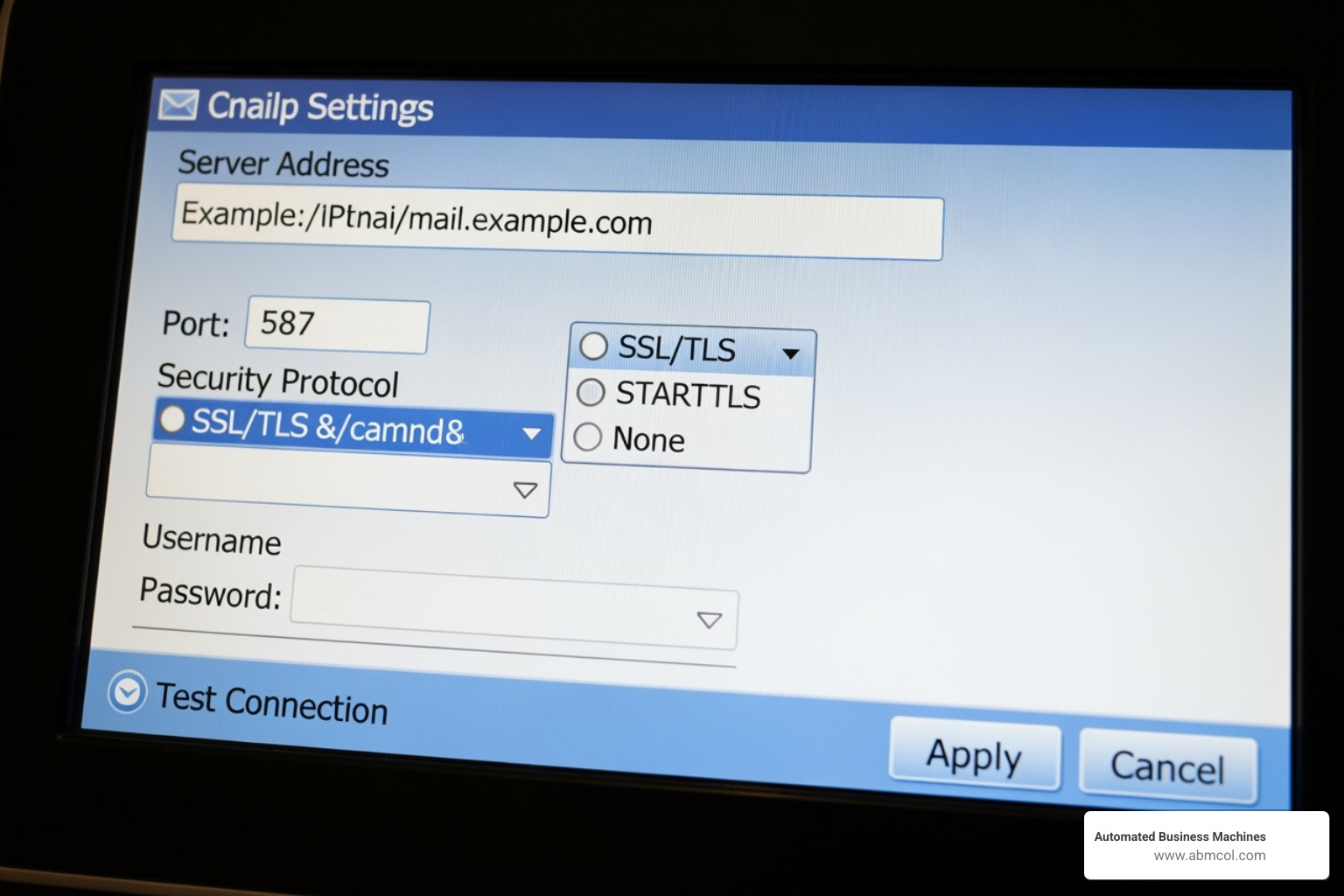
Methods for Connecting MFDs to Microsoft 365
There are several ways to connect MFDs for scan-to-email with Microsoft 365, each with specific use cases:
- SMTP AUTH Client Submission: The MFD logs into a licensed user’s mailbox to send emails. It’s simple to set up but is limited to 10,000 emails per day and cannot use shared mailboxes. This method is being phased out.
- Direct Send: The MFD sends email directly to Microsoft 365 without user authentication. It handles higher volumes but can only send to internal recipients within your organization.
- SMTP Relay: This is the most flexible method, requiring a connector in Microsoft 365. It authenticates via a TLS certificate or static IP address and supports both internal and external recipients, making it ideal for high-volume or complex network needs.
The Critical Shift: Basic Auth vs. Modern Authentication
Microsoft is fundamentally changing how devices authenticate, which directly impacts multifunction device integration.
Basic Authentication, which uses a stored username and password, is a significant security risk. If the device is compromised, so are the credentials. Microsoft is permanently disabling SMTP AUTH with Basic Authentication in September 2025. MFDs still using this method will stop working.
Modern Authentication (OAuth) is the secure replacement. Instead of credentials, it uses secure tokens for access. While more complex to set up (requiring app registration in Microsoft Entra ID), OAuth is essential for security and is the only path forward. Future-proofing your setup means transitioning to OAuth now.
Technical Requirements for a Smooth Integration
A reliable integration depends on getting the technical foundation right:
- Network Ports: Your firewall must allow traffic on specific ports. Typically, this is port 587 for Client SMTP submission and port 25 for Direct Send and SMTP relay.
- TLS 1.2+ Encryption: This is a mandatory security standard. MFDs that don’t support TLS 1.2 or higher will fail to connect to modern cloud services.
- Static IP Address: A static IP is crucial for methods like SMTP relay and Direct Send, as it allows you to create valid SPF records.
- SPF Records: A Sender Policy Framework (SPF) record in your DNS settings verifies that your MFD is authorized to send emails on behalf of your domain, preventing your scans from being marked as spam.
Navigating these requirements can be complex. At Automated Business Machines, we ensure your Business Printing Needs are met with solutions that are both robust and secure.
Security and Compliance in an Integrated MFD Environment
Connecting MFDs to your core IT infrastructure increases efficiency but also introduces new data security considerations. Your MFDs become powerful gateways to your network, and they must be properly guarded. A comprehensive security strategy is a paramount part of any multifunction device integration.
Key Security Considerations for MFD Integration
Integrated MFDs are active network devices and potential entry points if not secured. Key measures include:
- User Authentication: Control who can use advanced MFD functions. Methods like badge swipes, PIN codes, or network logins ensure only authorized users can access sensitive features and create a clear audit trail of all activity.
- Data Encryption in Transit (TLS): Any information sent from an MFD to the cloud or across the network must be encrypted. Transport Layer Security (TLS) creates a secure tunnel for data, preventing it from being intercepted.
- Self-Encrypting Drives: Many modern MFDs include drives that automatically encrypt any data stored locally, such as pending print or scan jobs. This protects information even if the physical device is compromised.
- Secure Print Release: This feature holds print jobs until the user authenticates at the device (e.g., with a badge or PIN). It prevents sensitive documents from being left unattended on the output tray and reduces paper waste.
Implementing these measures ensures your MFDs are both efficient and secure. For more details, see our Printer Security Best Practices Guide for Offices.
Supporting Regulatory Compliance
Multifunction device integration is vital for meeting regulatory requirements like HIPAA and GDPR. It helps by providing:
- Audit Logs and Access Tracking: Integrated MFDs can log every action—who scanned what, when, and where it was sent. This detailed tracking is crucial for compliance audits and investigating potential data breaches.
- Secure Data Handling: By enforcing encryption for data in transit and at rest, and by using features like secure print release, integration ensures that sensitive information like PII (Personally Identifiable Information) and PHI (Protected Health Information) is handled securely.
- Policy Enforcement: Integration allows you to automatically enforce company policies, such as restricting scans to secure network folders or preventing certain documents from being emailed externally.
Best Practices and Future Trends
Successful multifunction device integration requires ongoing, proactive management to ensure your investment continues to deliver value. This is a core component of our Managed Print Services.
Managing Your Integrated MFD Ecosystem
To keep your connected MFDs running smoothly and securely, focus on these best practices:
- Centralized Driver Management: Use centralized tools to deploy, update, and manage MFD drivers from a single location. This ensures consistency and reduces downtime.
- Remote Monitoring: Track device usage, monitor supply levels like toner, and identify potential issues before they impact users.
- AI-Driven Service Alerts: Advanced MFDs can use AI to automatically alert service providers when maintenance or supplies are needed, enabling proactive support that prevents interruptions.
- User Training: Regular training ensures your team can confidently use all integrated features, maximizing productivity and your return on investment.
- Regular Security Audits: Periodically audit your MFD environment to identify vulnerabilities, ensure compliance with policies, and keep sensitive data secure.
The Future of Multifunction Device Integration
The evolution of office technology continues, with several exciting trends shaping the future of multifunction device integration:
- AI-Powered Workflows: MFDs will become smarter, using AI to automatically classify documents, extract key data, and route them intelligently, further reducing manual effort and errors.
- Deeper Cloud-Native Functions: As businesses accept the cloud, MFDs will offer more direct connections to cloud platforms, simplifying IT management and reducing the need for on-premise servers.
- Serverless Printing: This trend simplifies print infrastructure, making it more scalable, reliable, and accessible from anywhere.
- Improved Mobile Integration: Expect smoother and more secure printing, scanning, and device management directly from mobile devices. Learn more about Secure Mobile Printing Solutions for Business.
These advancements point toward a more connected, efficient, and intelligent office environment, with MFDs at the center of digital change.
Frequently Asked Questions about MFD Integration
Here are answers to common questions about multifunction device integration.
How does MFD integration differ from FDI (Field Device Integration)?
While the names are similar, they serve entirely different purposes. Multifunction device integration is for the office environment, focusing on streamlining document workflows (printing, scanning, faxing) by connecting MFDs to IT systems. Its goal is to boost productivity and data security.
In contrast, Field Device Integration (FDI) is for industrial automation. It connects "field devices" like sensors, valves, and controllers in manufacturing plants to optimize industrial processes and ensure operational safety. The devices, protocols (e.g., PROFINET vs. SMTP), and goals are completely distinct.
Can I integrate older MFDs into a modern workflow?
Integrating legacy MFDs can be challenging. Many older devices lack support for modern security protocols like TLS 1.2+ encryption and Modern Authentication (OAuth), which are now required by cloud services like Microsoft 365. This makes secure, direct connections difficult or impossible.
While workarounds like using an on-premise relay server exist, they add complexity and potential points of failure. If an older MFD cannot meet current security standards or run modern workflow apps, upgrading to a new, cloud-ready device is often the best long-term solution. Newer MFDs are designed for seamless multifunction device integration, offering better security, performance, and user experience.
What's the first step to start integrating our devices?
The first step is to assess your current environment and define your goals.
Assess Current Workflows: Map how documents enter, move through, and exit your organization. Identify manual steps, bottlenecks, and common errors.
Identify Pain Points: Pinpoint your biggest challenges. Are approvals slow? Are printing costs too high? Are you concerned about data security?
Consult an Expert: An expert can evaluate your MFD fleet's compatibility, recommend the right solutions, and help you build a strategy. Our Managed Print Services include this initial assessment and planning.
Develop a Strategy: Based on the assessment, create a clear roadmap that outlines the steps, technologies, and expected outcomes for your integration project.
Conclusion: Transform Your MFDs into Workflow Powerhouses
This integration empowers your team with smoother workflows, fewer errors, and more time to focus on strategic work, delivering a powerful return on investment (ROI). The result is a more agile, secure, and productive business environment.
At Automated Business Machines, we are your local partner for this digital change. With deep expertise in secure printing and digital workflows, we help businesses in Albany, Athens, Atlanta, Augusta, Columbus, Macon, Marietta, Savannah, and beyond open up the full potential of their MFDs.
Ready to revolutionize your document management? Let’s discuss how multifunction device integration can work for you. Explore our products and solutions to build your custom workflow and create a smarter, more efficient future.